API keys
Generating, scoping and revoking API keys — the external systems' access to the GraphQL of your apps.
External systems — an ERP that syncs customers, a website that creates
orders, an invoicing integration — call the apps' GraphQL with an API
key: a secret sent in the x-api-key header of every request. Keys are
managed at platform level and shared across apps: each key has a
scope — you choose the apps and, per app, all the endpoints or only some.
An invoicing integration can, for example, read accounts in the Customer
Management app and write documents in another app, with a single key.
Note
Keys belong to whoever administers the platform: the API Keys page is only available to administrator accounts.
The API Keys page
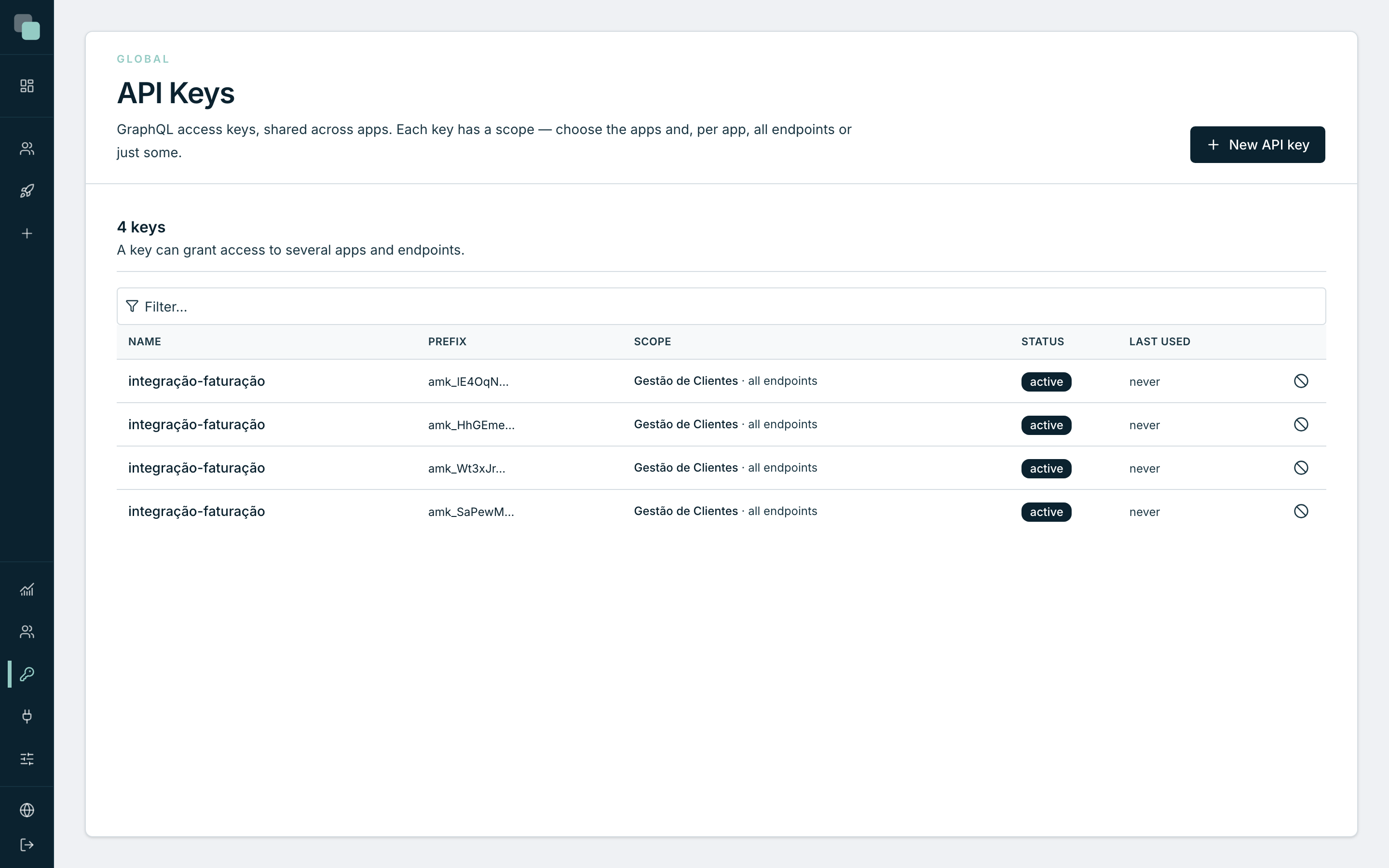
Open the API Keys menu in the global navigation. The list shows every key on the platform:
| Column | What it is |
|---|---|
| Name | The name you gave the key — it identifies the integration. |
| Prefix | The first characters of the key (e.g. amk_A1b2C3…) — they let you recognize which is which without ever showing the whole key. |
| Scope | The apps it grants access to and, per app, "all endpoints" or the list of the granted ones. |
| Status | active or revoked. |
| Last used | When the key was last used — never, if it has not been yet. |
Tip
The Last used column is your cleanup tool: a key with months of no use is a candidate for revocation.
Creating an API key
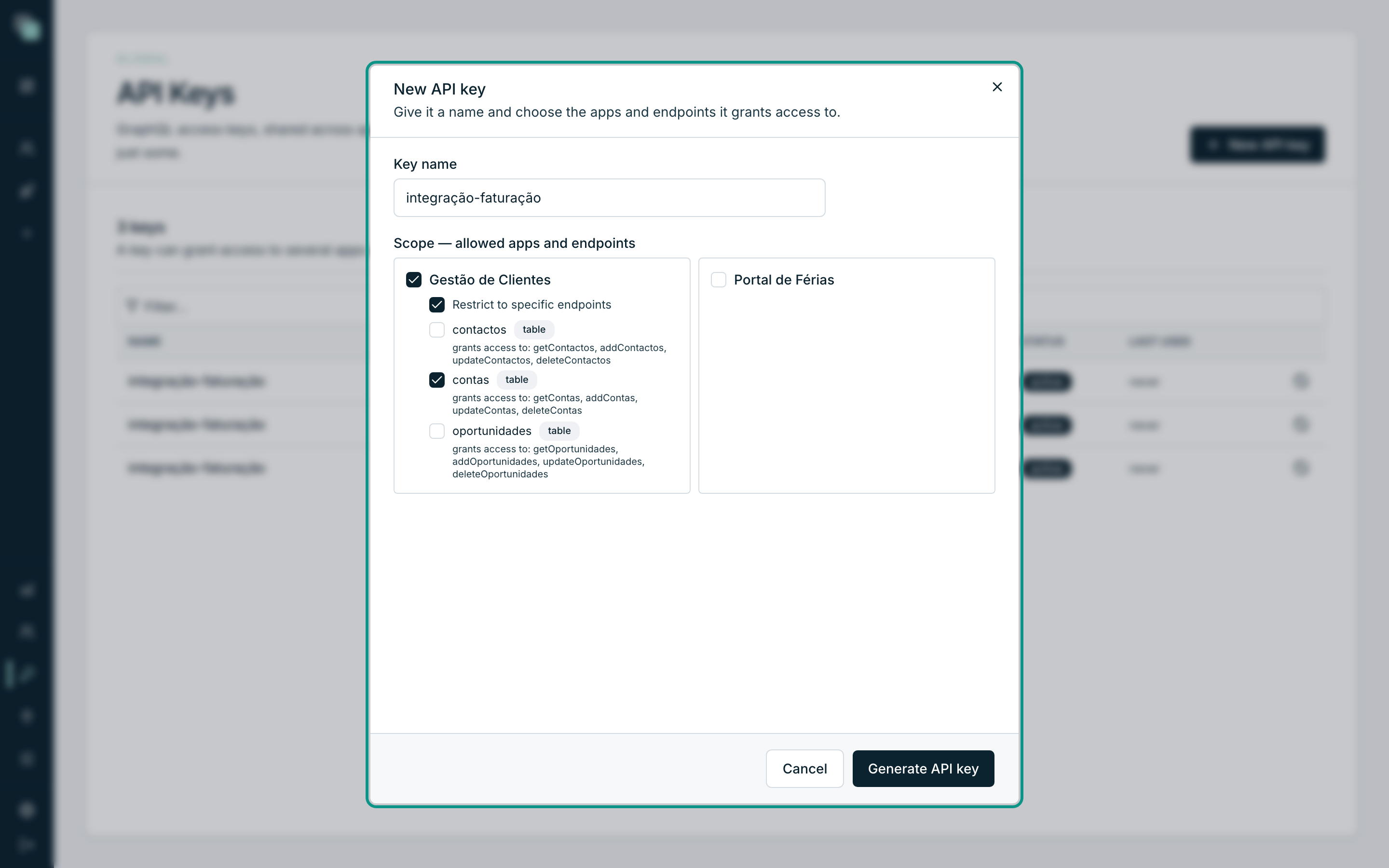
- Click New API key.
- Give it a Key name — e.g.
integração-faturação. - In Scope — allowed apps and endpoints, tick the apps to include. By default, each ticked app grants "All endpoints of this app."
- To tighten the access on an app, tick Restrict to specific endpoints and choose the APIs one by one. On a Table API, the grant covers every active operation — the list shows "grants access to: getContas, addContas, …" so you know exactly what you are granting.
- Click Generate API key.
Copying and keeping the key
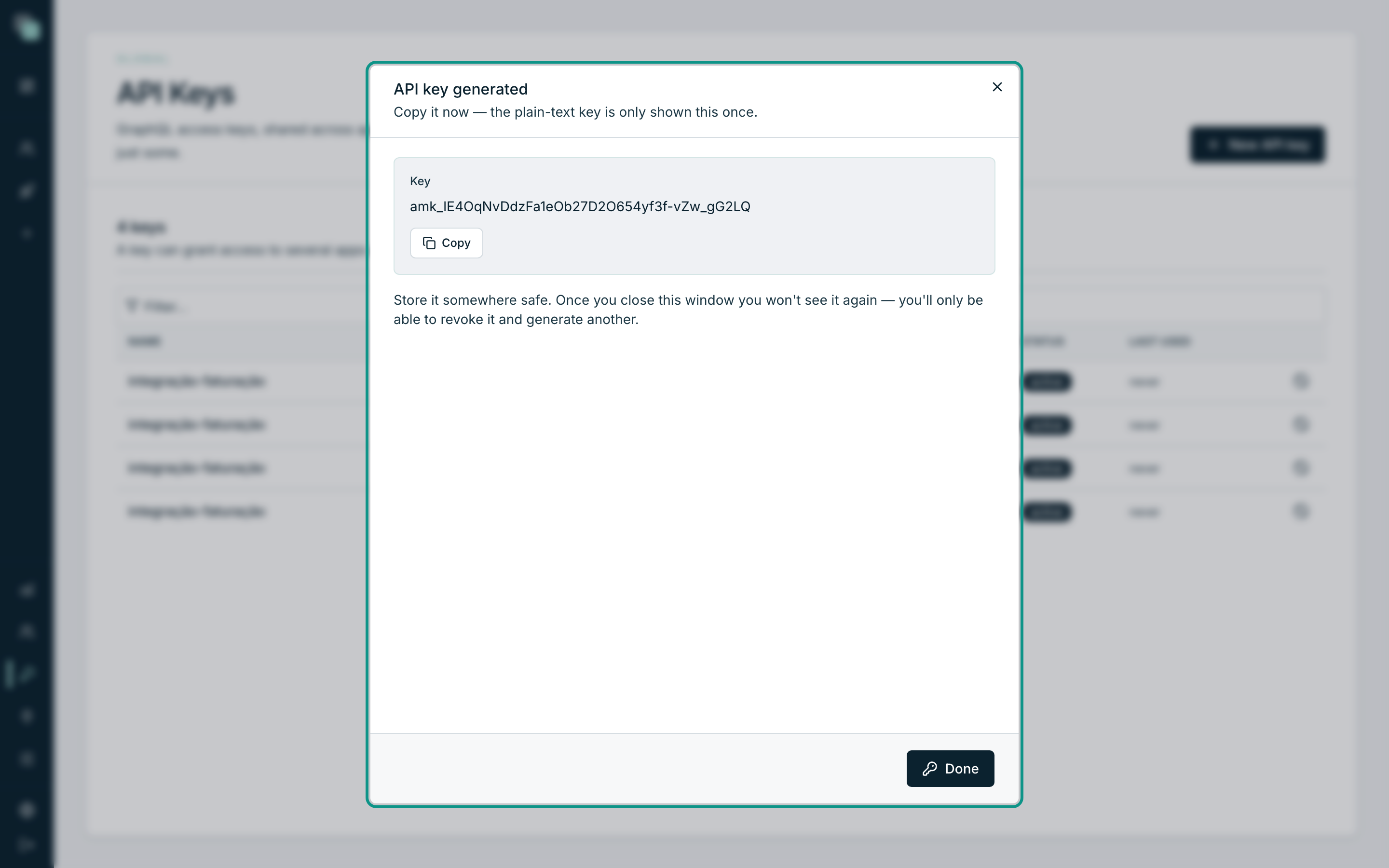
After generating, the window shows the Key in clear text — a single time. Copy it with Copy and keep it somewhere safe (a secrets manager, your team's vault). Once you close the window you will not see it again — the platform does not store the key in the clear; if you lose it, all you can do is revoke it and generate another.
Warning
Treat the key like a password: do not put it in source code, in URLs, or in user-facing screens. If you suspect a leak, revoke it right away — generating a new key takes seconds.
Using the key
The key goes in the x-api-key header of every request to the app's
GraphQL endpoint:
curl -X POST 'https://o-teu-host/api/graphql/gestao-clientes' \
  -H 'content-type: application/json' \
  -H 'x-api-key: amk_………' \
  -d '{"query":"query { getContas(take: 5) { id nome } }"}'
The Docs tab of each API generates this example (and the JavaScript variant) already with the right operation — only your key is missing.
What a key sees and does not see:
- Only published APIs — drafts never, even with a whole-app scope.
- Only what the scope grants: calling an app outside the scope returns
403 — API key not authorised for this project; calling an endpoint outside the scope,403 — API key not authorised for this endpoint. - Always the main version of the app (or the published version of the address used) — never a developer's working version.
Limits and errors
Each key has a ceiling of requests per minute. The error responses an integration should know how to handle:
| Response | Meaning | What to do |
|---|---|---|
401 |
Key missing, invalid, expired or revoked. | Check the header and the key's status in the list. |
403 |
Valid key but no access to the app or the endpoint. | Adjust the scope — generate a new key with the right scope. |
429 |
Requests-per-minute ceiling reached. | Wait the time given in the retry-after header and retry. |
Revoking a key
- In the list, click the row's revoke icon.
- Confirm with Revoke key.
Revocation is immediate: every consumer of this key loses access on the
next request. A revoked key cannot be reactivated — it stays in the list,
marked revoked, as a record.
Why doesn't…?
- I lost the key — can I see it again? No. The key in the clear is only shown at creation time. Revoke the old one and generate another.
- I need to grant one more endpoint — do I edit the key? The scope is set at creation. Generate a new key with the complete scope, swap it in the integration and revoke the old one.
- Why does the integration get a
403on a new endpoint? The key was restricted to specific endpoints and the new one is not on the list — same remedy: a new key with the right scope. - Does the key grant access to the app's screens? No. A key only talks to the GraphQL endpoint. The app's user accounts are something else, managed in the app's own settings.