The GraphQL API of the model
The Table APIs and the GraphQL schema generated from the data model — CRUD operations, filters, sorting, pagination, totals and enums.
Every Keplin app serves a GraphQL API at an endpoint of its own. That API's schema is not written by hand: it is generated from two sources — the APIs you build in the builder and the app's data model. The model's tables become GraphQL types with their fields and relations; the model's enums become GraphQL enums; and a Table API turns a table into complete read and write operations, with filters, sorting and pagination, without you writing a line of SQL.
This page covers the endpoint, the Table APIs and the query language they offer to clients.
The app's endpoint
Every operation of an app is served at a single GraphQL endpoint:
POST /api/graphql/<endereco-da-app>
In the example app, POST /api/graphql/gestao-clientes. The request is a
JSON with query and variables, as in any GraphQL service — the Docs
tab of each API gives you ready-to-copy examples. When the app is published
at an address of its own, the same service also answers at /api/graphql
of that address.
Who can call the endpoint:
| Who calls | How it authenticates | What it sees |
|---|---|---|
| The app's screens | The app user's session (automatic) | Published APIs |
| External systems | x-api-key header — see API keys |
Published APIs within the key's scope |
| Whoever builds | Platform session | Published APIs AND drafts (marked as draft) |
| Anonymous callers | Nothing | Only public APIs |
Note
The app's versions count too: an API key and anonymous requests always talk to the main version (or to the published version of the address used); whoever builds sees THEIR working version. A key never picks up, by accident, what a developer is midway through changing.
Creating a Table API
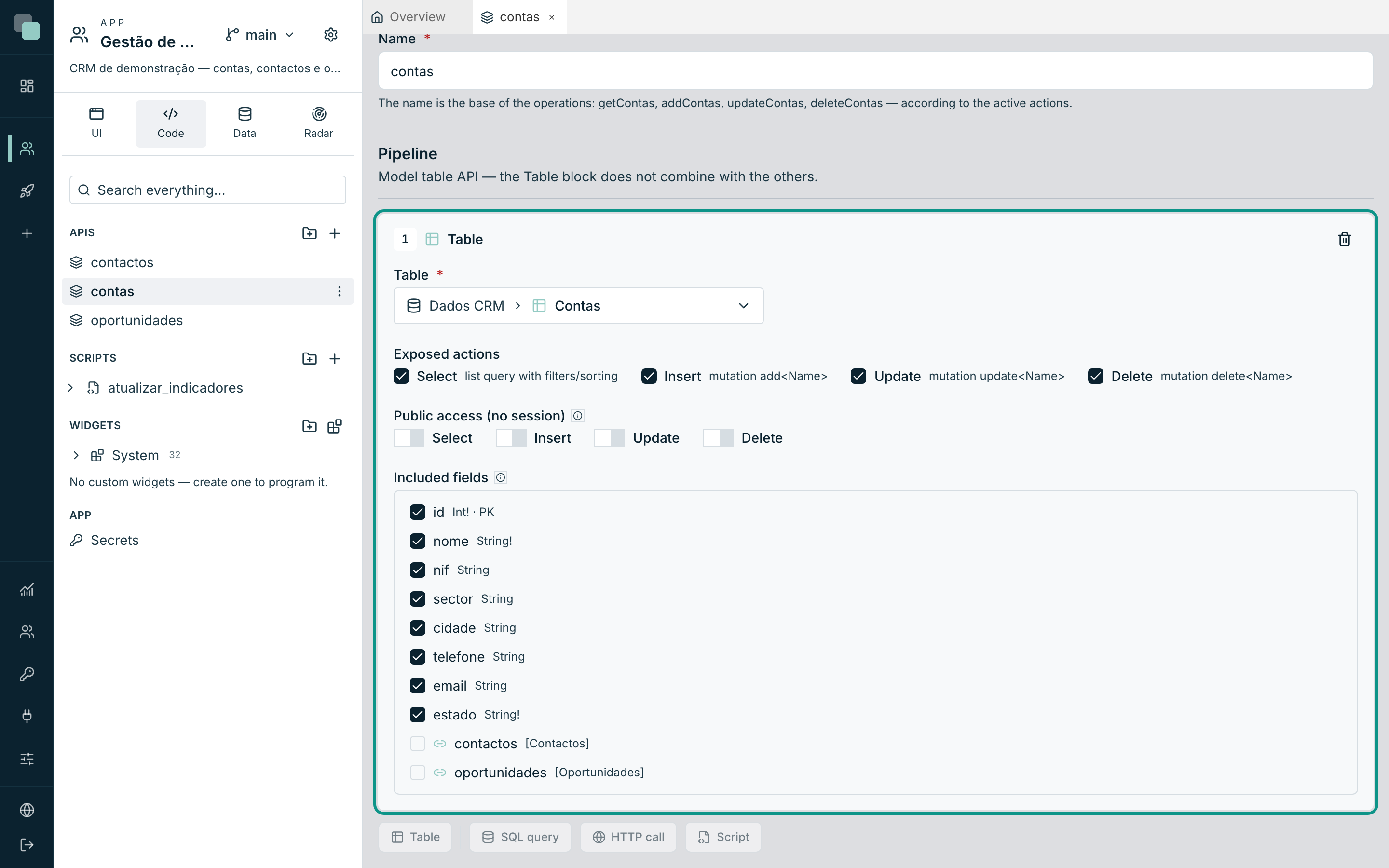
- Create an API (New API) with the name
that will serve as the base of the operations — for example
contas. - On the Build tab, Pipeline section, click the Table button. The Table block takes up the whole pipeline — it does not combine with SQL, HTTP or Script steps.
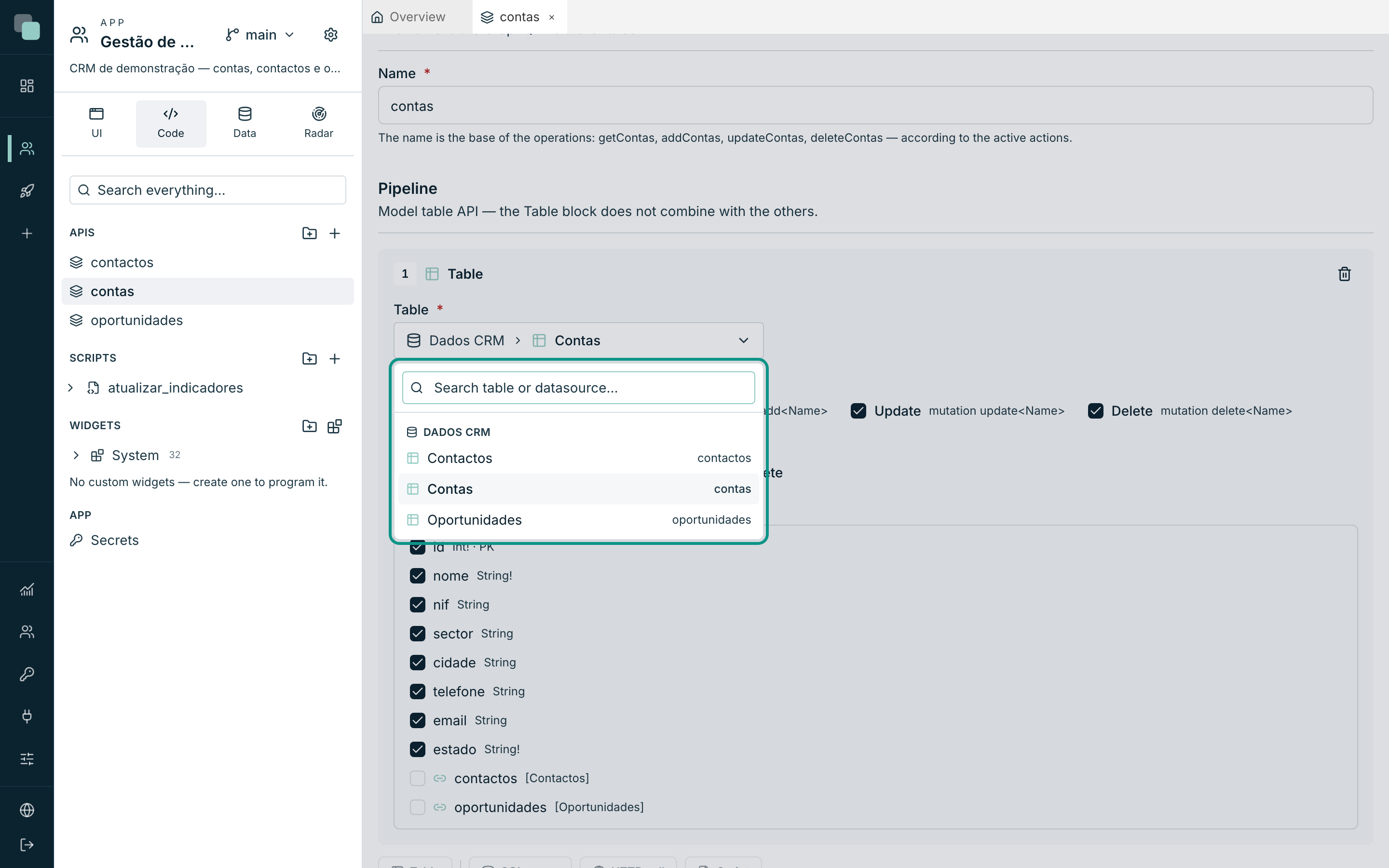
- Choose the table in the Choose the table… selector — the tables appear grouped by datasource, with search by table or datasource name.
- Enable the Exposed actions and adjust the Included fields (see below).
- Save. To publish, it needs a chosen table and at least one active action.
Note
The selector only shows tables imported into the data model. If it is empty, import tables in a datasource's Model tab first.
Exposed actions
Each active action generates an operation in the schema, with the name
derived from the base — for the contas API:
| Action | Generated operation | What it does |
|---|---|---|
| Select | getContas (query) |
List with filters/sorting/pagination. Brings countContas, the total, along with it. |
| Insert | addContas (mutation) |
Creates a row. |
| Update | updateContas (mutation) |
Updates a row by primary key — partial: it only changes what you send. |
| Delete | deleteContas (mutation) |
Deletes a row by primary key and returns true. |
The Public access (no session) row controls, action by action, what public screens can call — details in Public APIs.
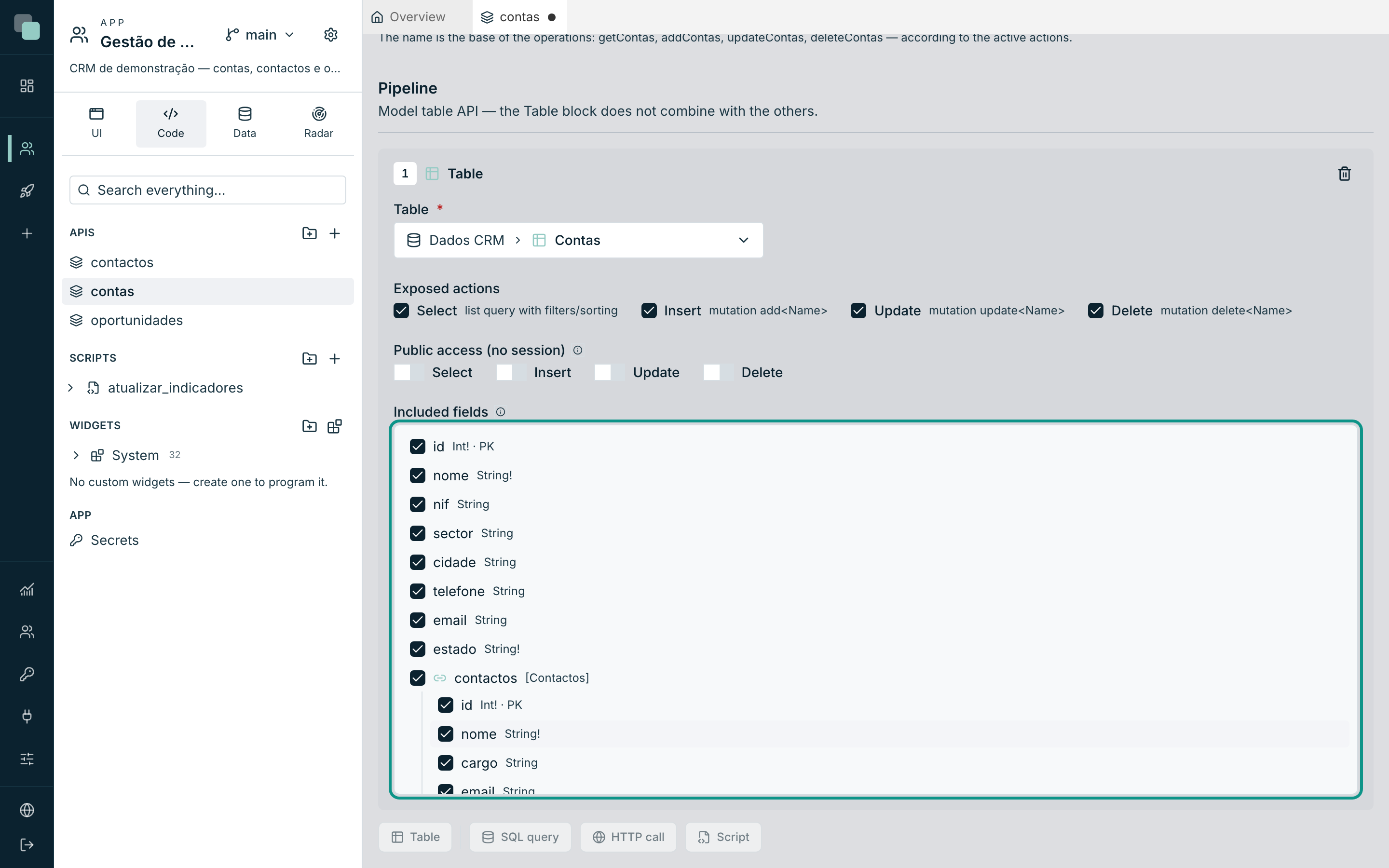
Included fields
The Included fields tree defines the shape of the response: untick the
fields you do not want to expose, and expand the navigation fields to
include related entities — recursively, as in a visual GraphQL editor. On a
contas API, expanding the contactos navigator lets clients ask for each
account's contacts in the same call.
Warning
With Insert or Update active, the table's required fields (non-null, with no automatic value) are always included — without them it would be impossible to create valid rows. The builder shows them ticked and locked.
Reading data: filters, sorting, pagination
The list query accepts four arguments: where, order, take and skip.
A complete example in the Customer Management app:
query {
  getContas(
    where: { cidade: { eq: "Lisboa" }, estado: { neq: "ARQUIVADA" } }
    order: [{ nome: ASC }]
    take: 20
    skip: 0
  ) {
    id
    nome
    cidade
    contactos {
      nome
      email
    }
  }
}
The where argument
Each filterable field accepts operators according to its type:
| Field type | Operators |
|---|---|
| Text (and enums) | eq, neq, contains, startsWith, endsWith, gt, gte, lt, lte, in, nin |
Numbers (Int, Float) |
eq, neq, gt, gte, lt, lte, in, nin |
Boolean |
eq, neq |
ID |
eq, neq, in, nin |
And two combinators for compound conditions: and and or, which take
lists of filters.
where: {
  or: [
    { cidade: { eq: "Lisboa" } }
    { cidade: { eq: "Porto" } }
  ]
  valorAnual: { gte: 10000 }
}
Useful rules:
eq: nullfinds the records with the field empty;neq: null, the filled-in ones.- Date ranges: dates stored as ISO text (e.g.
2026-08-11) sort alphabetically the way they sort in time, sogt/lt/gte/lteon text is enough to filter ranges —dataCriacao: { gte: "2026-01-01", lt: "2026-07-01" }. intakes a list of values;ninexcludes it.- Filter values always go parameterized to the database — a
containswith malicious text is not a risk. contains,startsWithandendsWithsearch for the text exactly as written: a%or_is text, not a wildcard, and case doesn't matter in any database ("ana"finds"Ana").
Sorting and paginating
orderis a list of{ campo: ASC }or{ campo: DESC }— several items sort by several fields, in the order given.takelimits the number of rows (ceiling of 10,000 per request) andskipskips the first N — together they make classic pagination.
The total: count
Each Table API with Select active also gains count<Nome>, which
returns the total number of rows for the SAME where. The natural pair of
a paginated table is asking for the page and the total in one operation,
with aliases:
query {
  items: getContas(take: 10, skip: 0) { id nome }
  total: countContas
}
With a filter, pass the same where to both fields — the total counts
exactly the rows the list would return without pagination.
Writing data
addContasreceives the included fields as arguments (the table's required ones are required on the mutation). On some databases the response is the created row; on others,true— the API's Docs tab shows the exact shape in your case. A non-null column with a default value in the database, or generated by it, is optional: when you don't send it, the database's value applies.updateContasreceives the primary key (required) and the remaining fields as optional — it only updates what you send — and returns the updated row.deleteContasreceives the primary key and returnstrue.
mutation ($nome: String!, $cidade: String) {
  addContas(nome: $nome, cidade: $cidade) {
    id
    nome
  }
}
Note
The app's permissions apply here, always: if the app user can only see
their team's accounts, getContas and countContas return — and count —
only those, no matter who calls (screen, report or workflow).
A date-and-time column without a time zone (timestamp, datetime) leaves
the API as it is in the database, as ISO without a time zone
(2026-09-25T09:30:00): it is the time written there, and it arrives the same
to whoever reads it in any time zone. A day-only column leaves as the day
(2026-09-25). A column with a time zone (timestamptz, datetimeoffset,
MySQL's timestamp) leaves as an instant, as ISO with a time zone
(2026-09-25T09:30:00.000Z), and screens show it in the reader's time zone. A
Date returned by a SQL step of a pipeline API also leaves as ISO with a time
zone. Screens show all of them in the app's language. A value written with the
wrong type is accepted when there is no doubt: «12» in an Int, 1000 in a
String, «true» in a Boolean.
Three more rules for writes:
- The primary key can also go in the
add. With a key generated by the database it's left out; with a natural key (an item code, a country code) that's how the record is created. - An
updateto a record that doesn't exist, or that's outside the caller's scope, changes nothing and returnsnull; adeleteunder the same conditions returnsfalse. - A refusal from the database (repeated key, record with dependants, empty required field, value too long) arrives as a clear message, with the field when the database gives it.
A request can nest up to 12 levels of relations and use up to 100 aliases. Relations are read in batches: rows requested at the same time go in a single query.
Enums
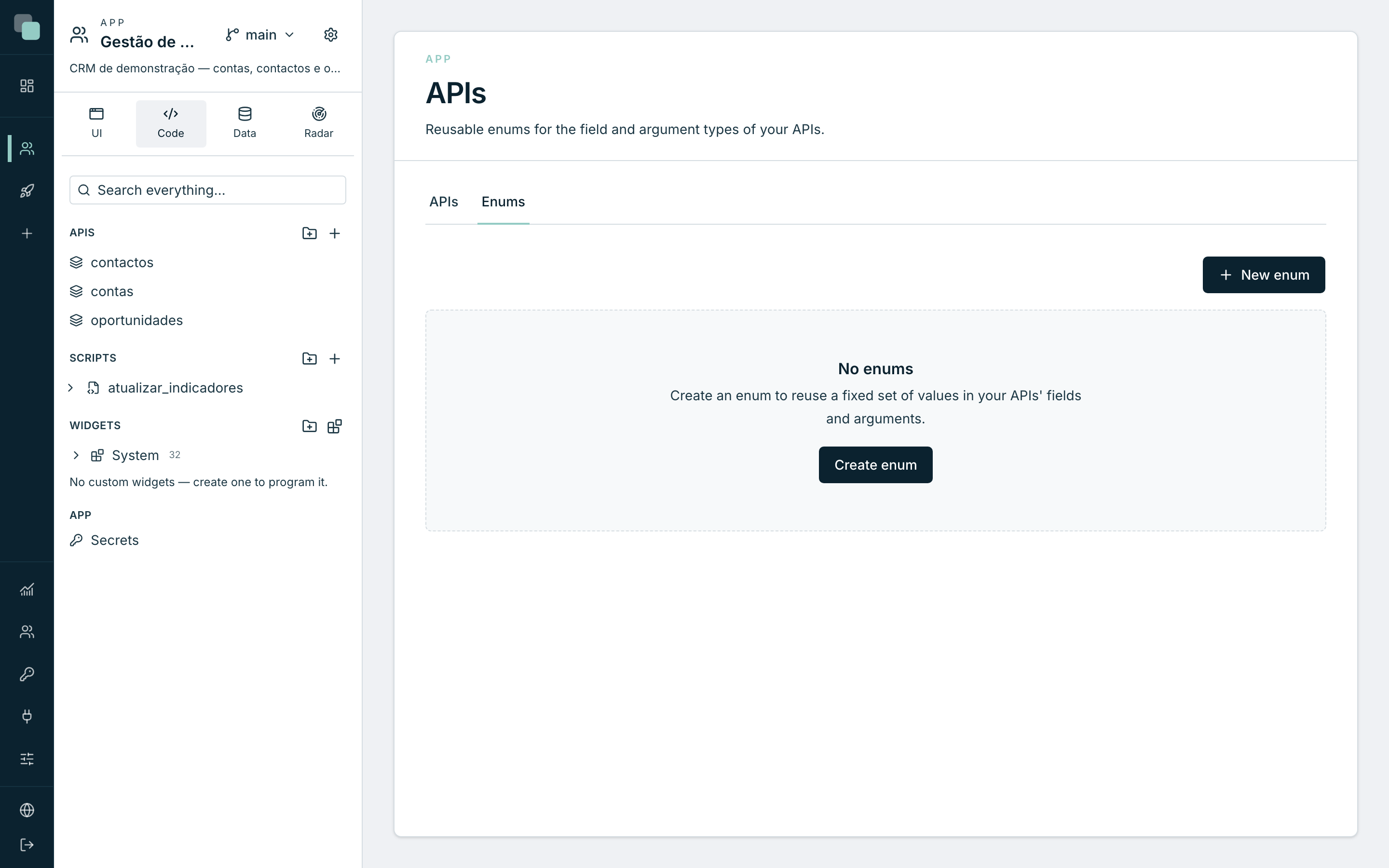
An enum exposes a fixed set of values in the GraphQL schema — the state of an account, the stage of an opportunity. They are managed on the APIs page, Enums tab:
- Click New enum.
- Give it a name (e.g.
EstadoConta) and, if it helps, a description. - Add values with Add value — each value has an identifier (value), an optional label and color. The color and the label are used by the screens; the value is what travels on the API.
- Save.
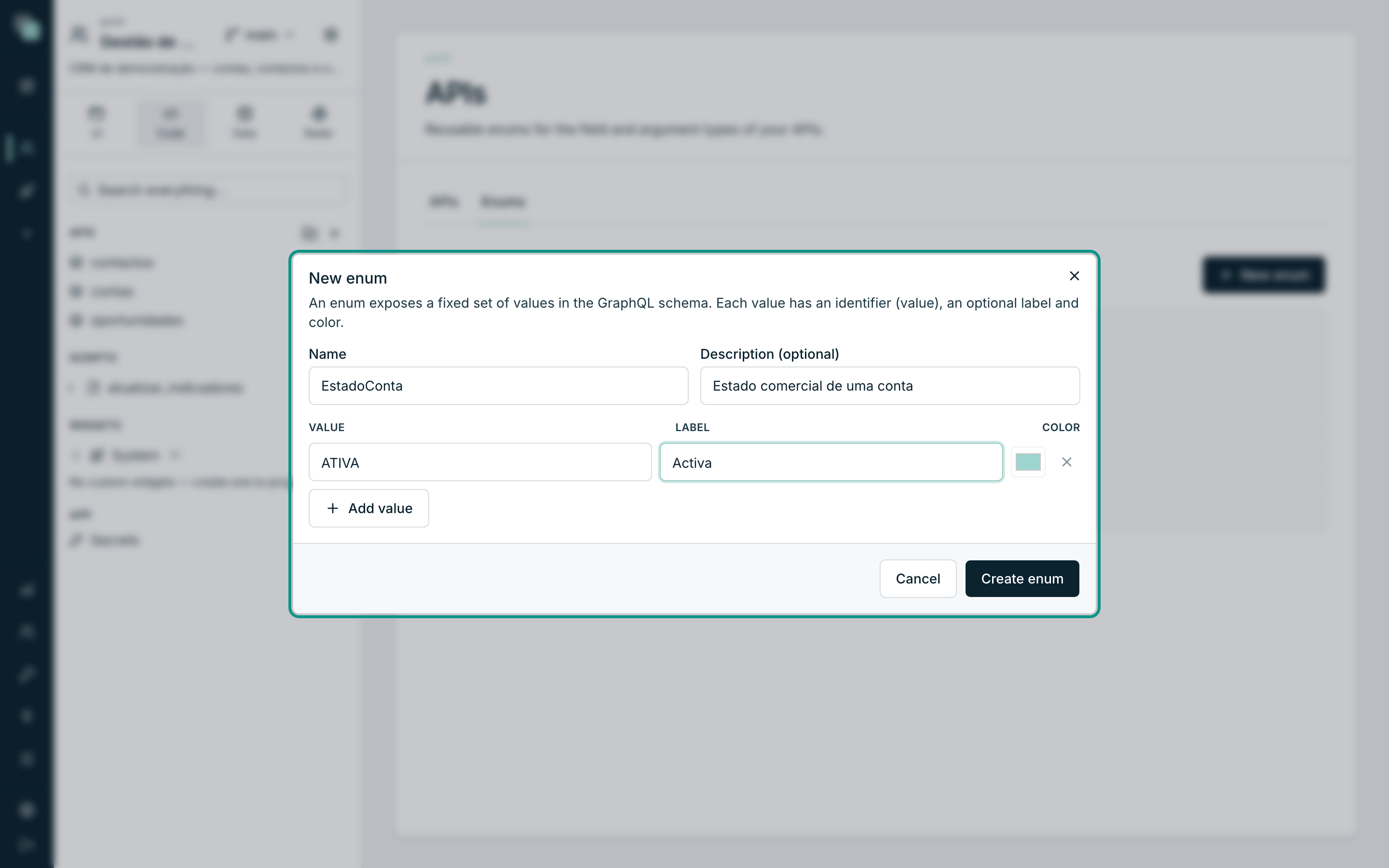
An enum is used in two places: as the type of a model field (the field starts accepting only those values, and in filters it behaves like text) and as the type of an API argument. In the schema, clients see the enum with its values — the test environment's autocomplete suggests them.
Warning
Deleting an enum is permanent and the fields/arguments that used it stop referencing it. Prefer editing the values to deleting the enum.
When you write an enum value, the API accepts the name the schema shows, without
quotes (estado: Em_curso), and also the value as it is stored, in quotes
(estado: "Em curso"). This is how forms and keplin.api.mutate send it. A
value that does not belong to the enum is still refused.
Exploring the schema in GraphiQL
The Test tab of any API includes GraphiQL — the interactive environment of the app's endpoint. You write the operation on the left, run it, and see the response on the right; the autocomplete knows the whole schema, Table operations included. The Open in window button gives you the same environment full screen.
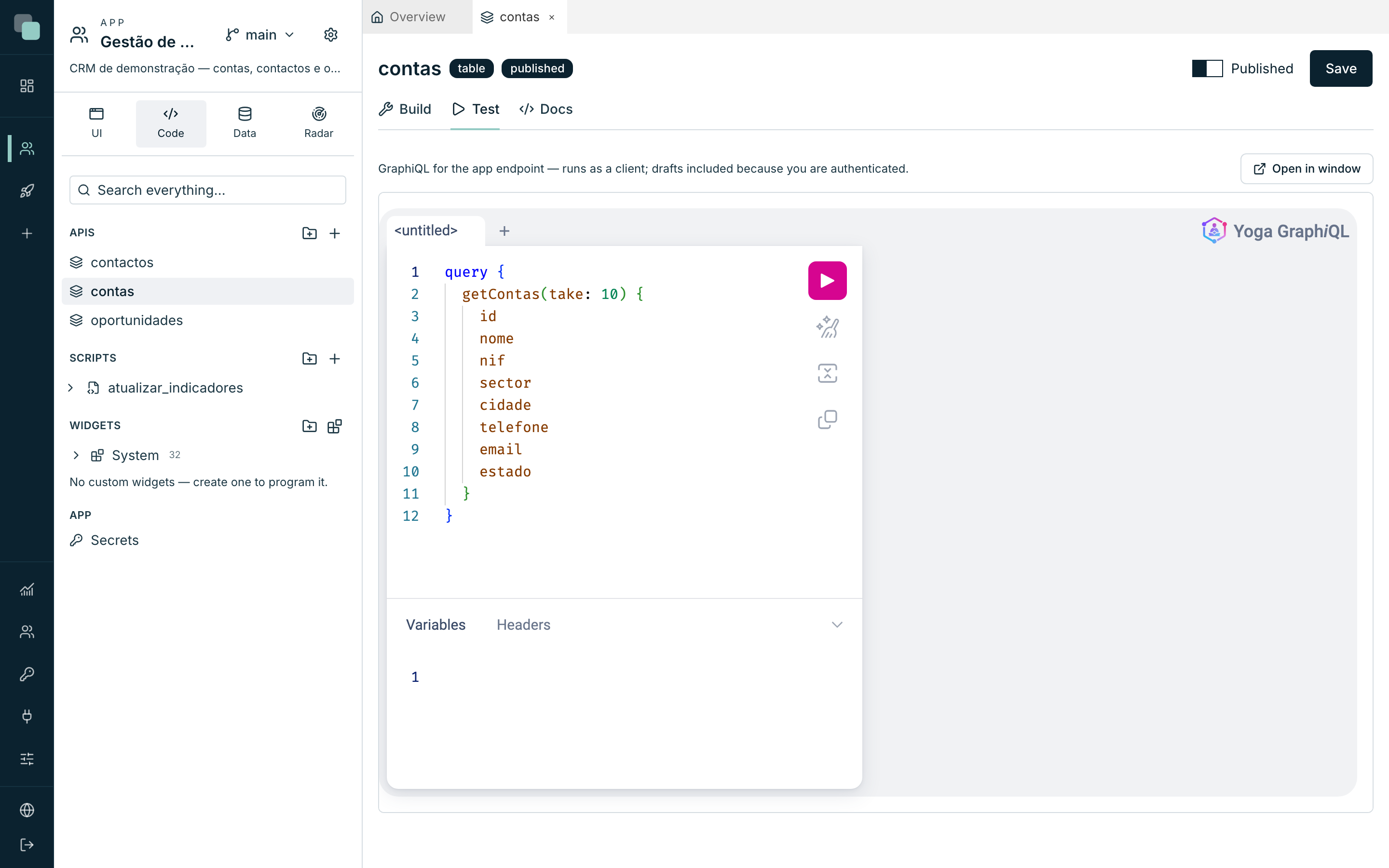
As you are authenticated on the platform, GraphiQL runs as a client but also sees the drafts — each draft operation appears with the description "DRAFT" in the schema documentation. And it answers about your working version: what you are designing is what you are testing.
Why doesn't…?
- Why don't I see the
getContasoperation from outside? Either the API is a draft (publish it), or the Select action is not active, or your key does not have that endpoint in its scope. - Why doesn't a field appear in the response? It is not ticked in Included fields — clients can only select what the API includes.
- Why does
addContasreturn atrueinstead of the row? It depends on the database behind the table. When you always need the row, follow up with agetContasfiltered by the key. - Why did the schema change without me touching the APIs? The schema is generated from the model: importing new columns, changing an enum or disabling an entity is reflected in the API on the next call.