Testing the connection and security
What the Test connection button does, how to read the most common errors, and how the platform stores credentials that never come back on screen.
A datasource holds the key to a real database — often, a production one. This page covers both sides of that responsibility: how to confirm the connection works before saving, and what the platform does (and refuses to do) with the credentials afterwards.
Testing the connection
The Test connection button sits on the creation form and on the Edit connection modal, next to the save actions:
- Fill in the connection fields.
- Click Test connection. The button changes to Testing….
- The platform opens a real connection to the database, runs a harmless verification query, and closes the connection. Nothing is written or changed.
- Success shows the confirmation "Connection OK."; failure shows an alert with the message returned by the database engine — verbatim, because it is what says what to fix.
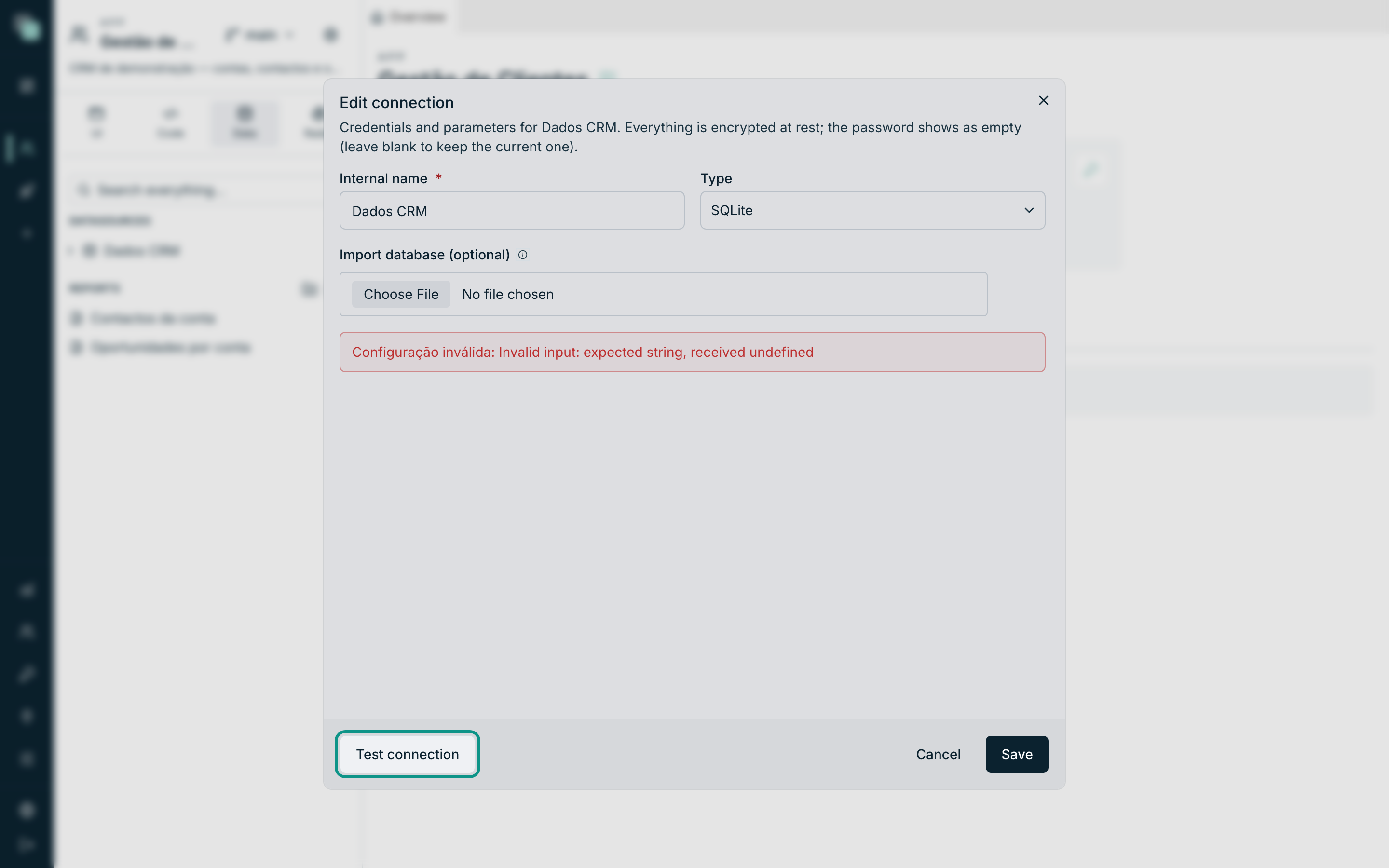
Two particular cases:
- Editing with the password blank, the test uses the stored password — that is, it tests the connection as it will be after you save.
- On a SQLite yet to be created there is no button — the file does not exist yet, and a test there could only lie. It appears after saving.
Tip
Always test before saving. Saving a wrong connection breaks nothing in the moment — but the first API or script that uses it will fail, and by then the error shows up far from the cause.
The test failed — now what?
The message comes from the engine, so it varies; the patterns do not:
| Symptom | What to check |
|---|---|
| Takes long and ends in a timeout | Host and Port right? Does the server accept connections from the machine where the platform runs (firewall, network)? |
| Authentication error / login failed | User and Password. On some engines, also whether that account can connect from another machine. |
| Unknown database | The Database field has the exact name of the database inside the server. |
| SSL/TLS errors on a SQL Server 2008/2012 | Turn on Legacy TLS (old SQL Server) — it is exactly for this. |
| Certificate errors on other engines | Use SSL / Encrypt as the server demands; on internal servers with a self-issued certificate, Trust server certificate. |
| Oracle cannot find the service | Does the Connect string follow host:port/service_name? Is the service_name the service's, not the SID? |
Credentials that never come back on screen
A datasource's password is write-only: it goes into the form, and from then on the platform never shows it again — to anyone, ever, not even to whoever typed it.
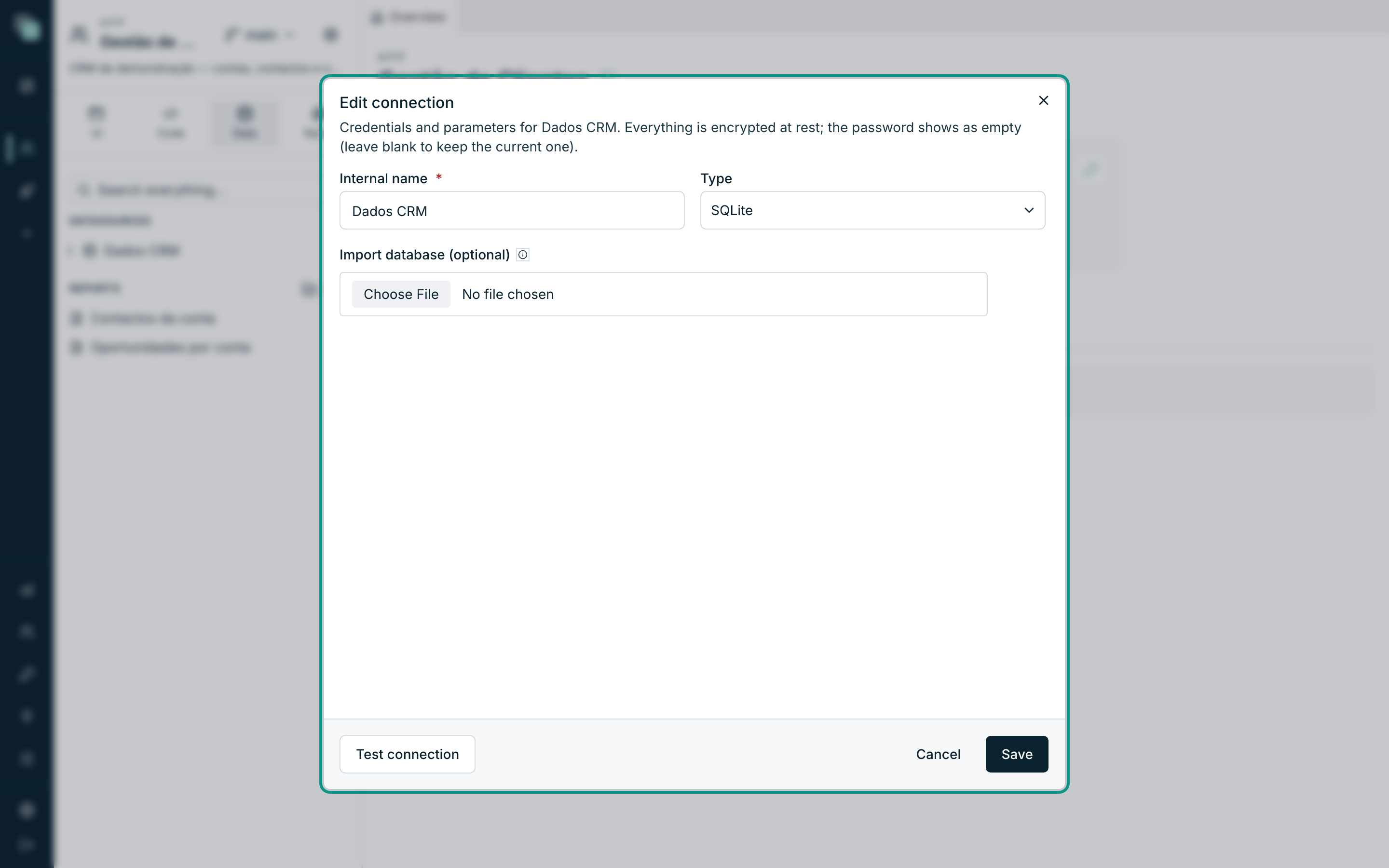
- When you open Edit connection, every field comes filled in except the password. The field is called Password (empty = keep): blank, the current one stays; filled in, it replaces it.
- There is no screen, export or permission that returns the password in the clear. If you lose it, reset it on the database server and type the new one here.
- At rest, the credentials are encrypted — as the forms themselves say: "Everything is encrypted at rest."
Note
This holds for what the platform controls. The password still exists in your head, in your password manager and on the database server — the platform only guarantees that it does not reappear on screen from this side.
And when the app travels?
When you export an app (Settings → Export app), you choose the fate of the secrets:
- Without secrets (recommended) — "Datasource connections and secrets travel empty". Whoever imports on another instance fills in the credentials again — the passwords do not travel.
- With secrets, protected by a passphrase — the values travel encrypted with a passphrase you set, which will be asked for on import. "Without the passphrase, the package's secrets are unrecoverable."
Who can do what
| Action | Profile required in the app |
|---|---|
| Seeing the list of datasources and using the app | Developer |
| Creating, editing, renaming, deleting datasources | Administrator |
| SQL console, creating/changing objects (DDL) | Administrator |
That is why a developer may not see the Add datasource button or the Edit connection menu — it is not an error, it is the profile.
Everything is recorded
- The app's history — every creation, change, rename and deletion of a datasource enters the change history ("Datasource "crm" created", "Datasource "crm" changed", …), with author and date.
- Platform audit — the same operations go into the Radar's audit trail, with the target Datasource.
- SQL console — when you run SQL that writes or alters (an UPDATE, a DROP…), the event is audited with the operation type and a fingerprint of the query — without the SQL text, so that sensitive data written in the console does not end up in the record.
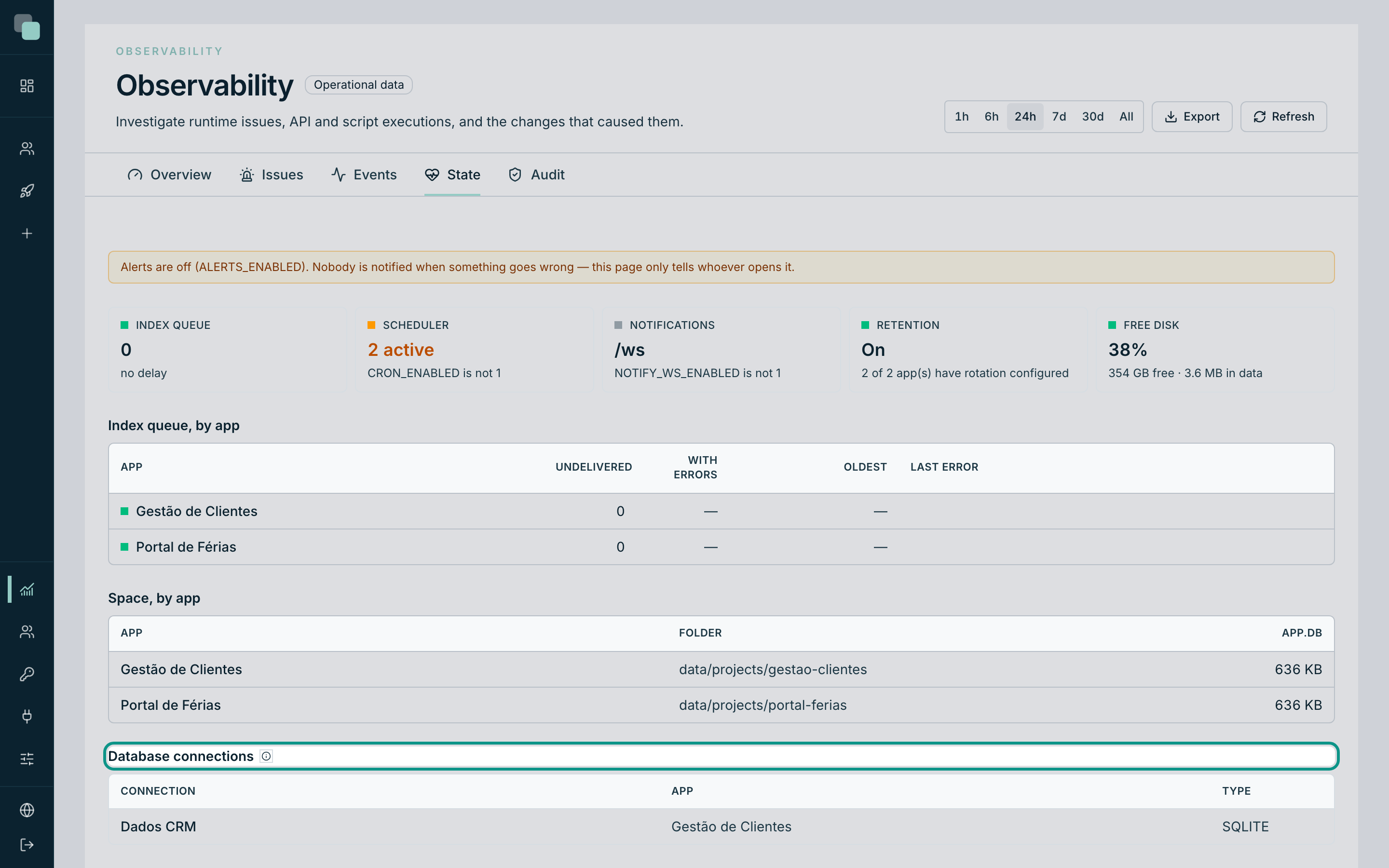
- Radar → State — the Database connections section shows the connections configured across every app. And with a deliberate caution: "This page never connects to them on its own: these are production databases, and opening connections on every visit is traffic nobody asked for."
Good practices
- Dedicated account, minimal privileges. Create in the database a user just for the app, with access only to the necessary tables. Everything the app runs — APIs, scripts, console — goes through that account.
- Point the tests at test data. When testing an API that writes, the platform itself warns: "The test runs the pipeline for real against the datasources — a mutation performs real writes. Make sure you are pointing at test data."
- Encrypt the connection whenever the server allows it (Use SSL / Encrypt) — especially when the database is on another network.
- Names that say the environment.
crmandcrm-testeavoid the worst possible mistake: writing to the right place of the wrong environment.
Frequently asked questions
- Does Keplin show me the password I saved? No. It is write-only — the alternative is replacing it.
- Does Test connection touch the data? No. It opens the connection, runs a harmless verification query and closes.
- Why does the test pass but the API's query fail? The test validates the connection, not the privileges over each table. If the account cannot read or write a table, it is on that query that the error shows up.
- I changed the password on the database server — now what? The APIs and scripts start failing with an authentication error. Open Edit connection, type the new password and Save.