What Keplin is
An overview of the platform — what it builds, for whom, and how the pieces fit together.
Keplin is a platform for building complete business applications — with their own screens, data, logic, automation and users — without assembling and maintaining a traditional development stack. A team designs the data model, composes the screens in a visual editor, connects APIs and automations, and publishes the application at an address of its own, ready to be used in the browser or in the mobile app.
What you build with Keplin
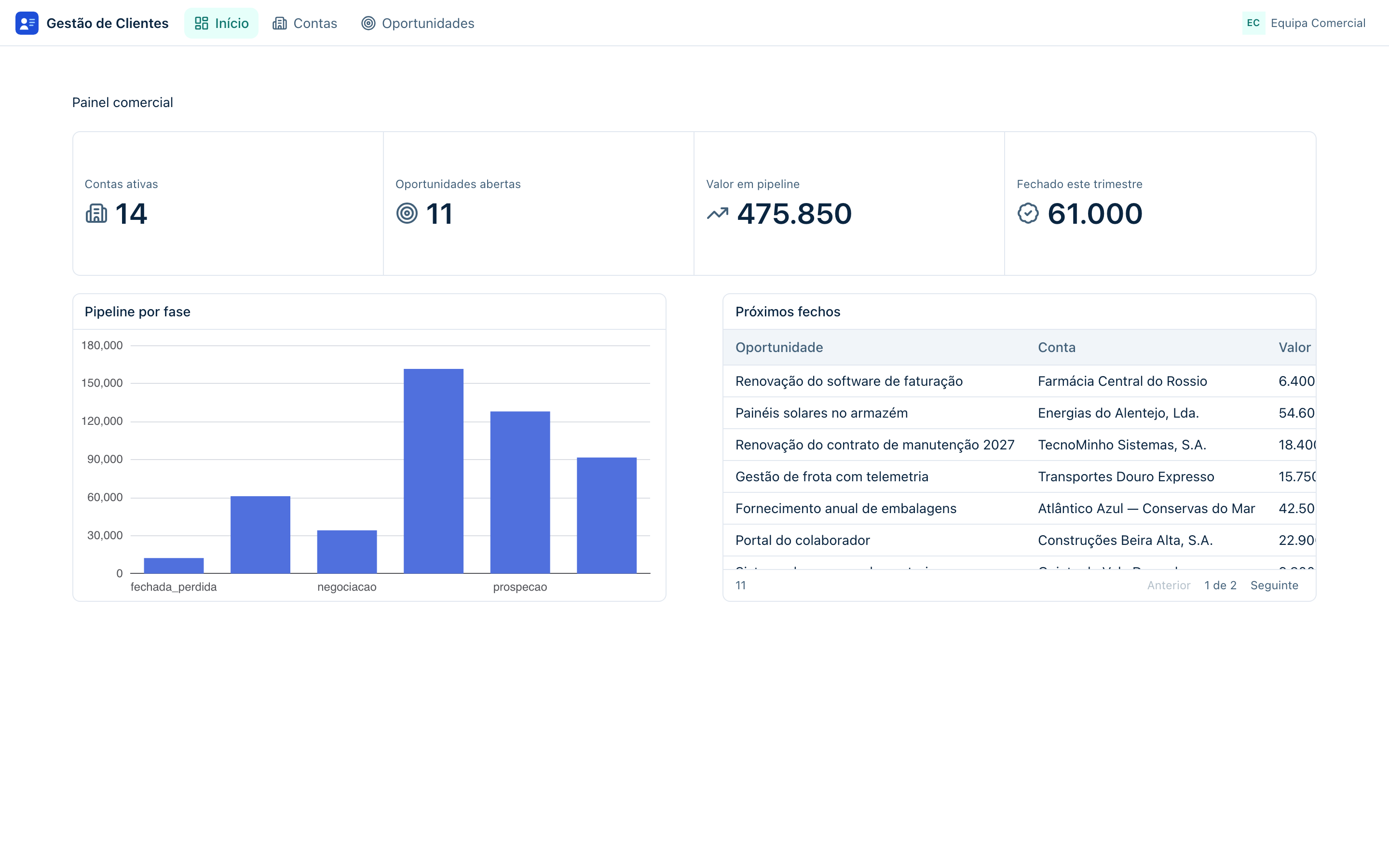
Any internal or customer-facing application whose heart is data and processes: a CRM, an order management system, a holiday request portal, an operational dashboard with scheduled reports. Throughout this documentation we will build one of those from scratch — the Customer Management app, a CRM with accounts, contacts and opportunities — and it is where every example and every image you will find comes from.
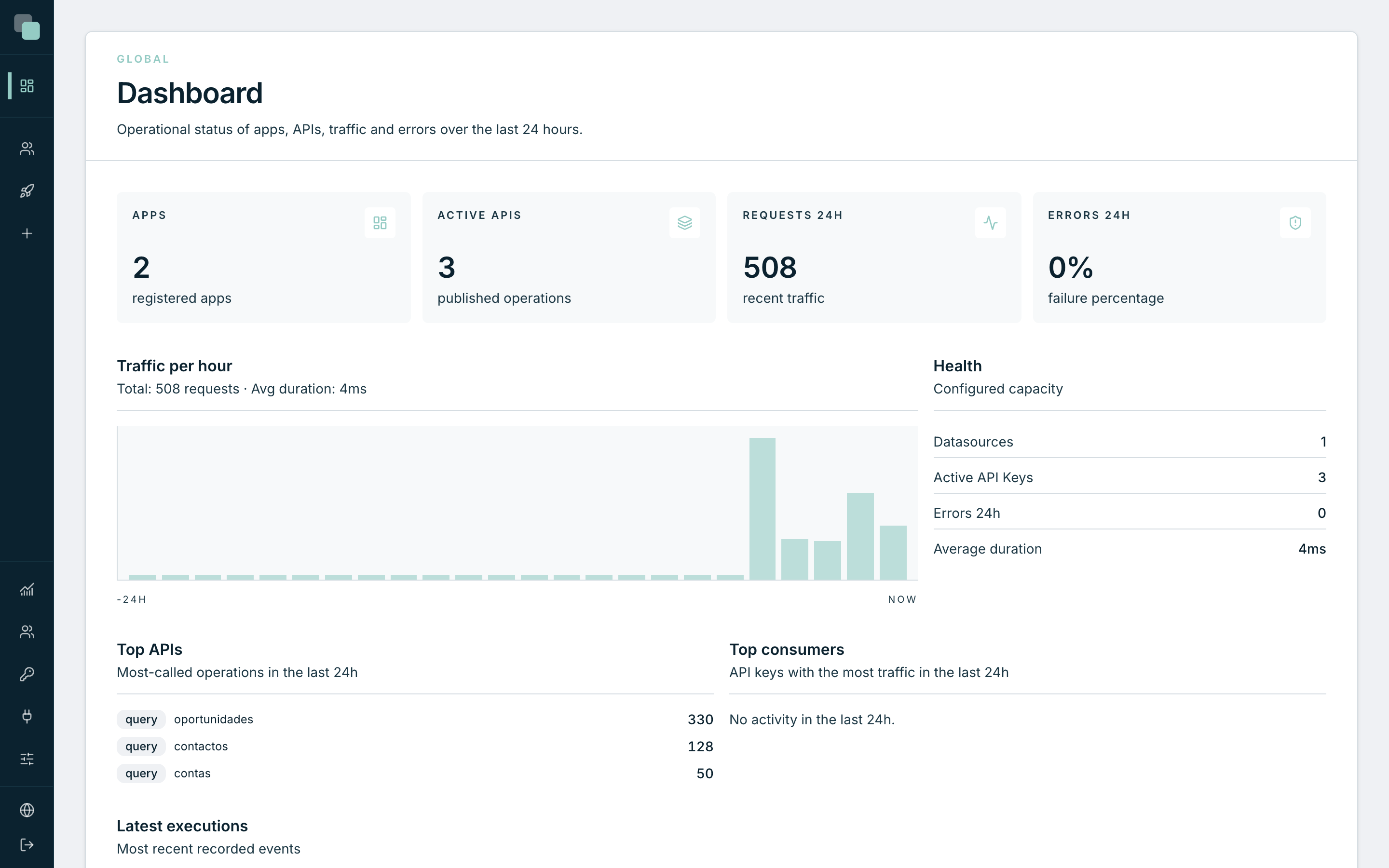
On the other side, this is how the built application looks to the people who use it — with no sign whatsoever of the tool it was made with:
The pieces of the platform
Every application in Keplin is made of the same pieces, and each one has its own chapter in this documentation:
| Piece | What it does | Chapter |
|---|---|---|
| Data model | The tables, fields, relations and validation rules of the application. | Data model |
| Screens | The pages of the application, designed in a visual editor with more than 30 components. | Screen builder |
| APIs | Services that expose or fetch data — including a GraphQL API generated from the model. | APIs & GraphQL |
| Scripts | Logic in Python, run by hand, on a schedule or as a step of an API. | Scripts |
| Workflows | Business processes with steps, decisions, waits and human tasks. | Workflows |
| Reports | PDF and Excel documents with rules, charts and scheduled delivery. | Reports |
| App users | The accounts of the people who USE the built application — separate from the people who build it. | Publishing & usage |
Around the applications, the platform gives you versioning (every change is recorded and reversible), observability (Radar shows what each app is doing and where it fails), real-time notifications, and permissions to decide who builds and who uses what.
Builders and users — two populations
There are two ways of being in Keplin, and it is worth separating them right away:
- The people who build sign in to the platform (the builder), see the list of apps, design screens, edit the model, manage versions. These are the accounts managed in Users, with administrator or developer profiles.
- The people who use sign in to the built application, at the address where it was published — they do not even know that Keplin exists. These accounts belong to each app itself and are managed in its settings.
Note
This separation shows up everywhere: the platform settings belong to whoever administers it; the settings of each app (theme, languages, accounts, permissions) belong to the app and travel with it.
How to read this documentation
If you have never used Keplin, the recommended path is:
- First steps — sign in, get to know the workspace and create your first app.
- Guide: a CRM from scratch — build the Customer Management app end to end, touching every piece along the way.
- From there, each chapter goes deeper into one piece — use the search (⌘K) to go straight to the subject.
Tip
Every image in this documentation comes from a real installation, with the example app filled in. What you see in the figures is what you will see on screen.