Glossary
Every term of the platform, from A to Z, with a short definition and the place where each one lives.
This page is the quick reference to Keplin's vocabulary. Each term has a definition in two or three sentences and, when there is one, the place in the platform where you find it. The names in bold are the exact names you see on screen.
Tip
Do not read this cover to cover — use the search (⌘K) to jump straight to the term that turned up in front of you.
A
Action (permissions) — A capability declared in the app's Permissions (e.g.: "approve-order"). Widgets can require an action: whoever does not have it either does not see the widget, or sees it disabled.
Administrator (admin) — The profile of a builder with full access: every app, plus user management, API keys, platform settings and the creation and deletion of apps.
API — A data operation of the app, served by its GraphQL endpoint. It is built in an editor of its own: either as a Table API or as a pipeline of steps (SQL, code, HTTP call, script).
API Key — An access key for external clients to call the GraphQL APIs. Managed in the global API Keys menu; each key has a scope — the apps and endpoints it gives access to. The key in clear text is only shown at the moment it is generated.
App — The unit of everything in Keplin: a complete application with its own screens, data, APIs, scripts, settings and users. See the Essential concepts page of this chapter.
App settings — The configuration panel of an app, opened by the gear at the top of the tree: General, Authentication, Notifications, Storage, App users, Permissions, Theme, Translations and Record rotation.
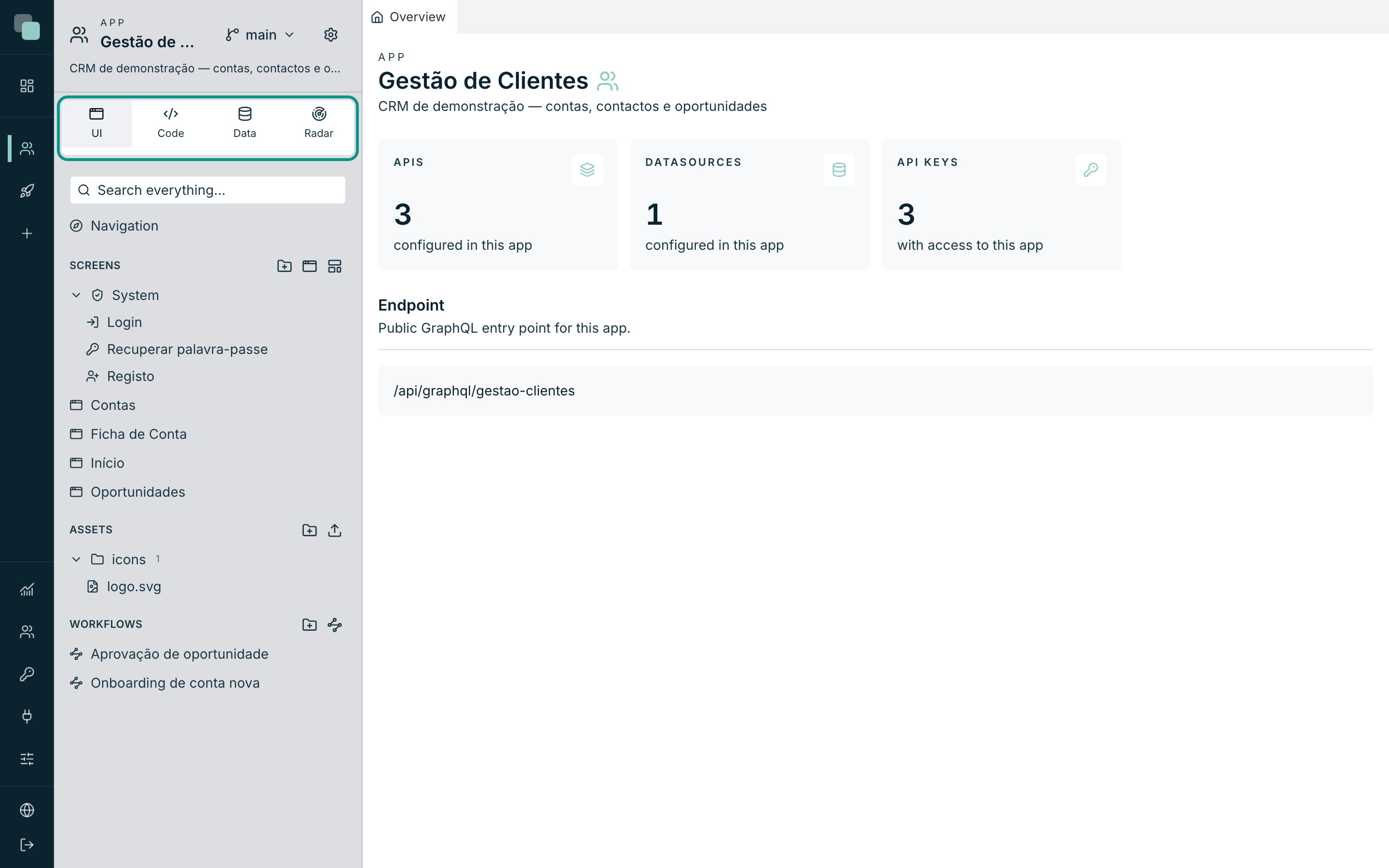
App tree — The sidebar of an app's workspace, with everything it contains organized into minitabs (UI, Code, Data, Radar). It is resized by dragging its right edge.
App user — An account of someone who uses the built application. Managed in the app settings (App users); they come in through the app's system screens, never through the platform.
Asset — A file of the app (image, document, …) uploaded in the Assets section of the UI minitab, to be used in the screens — for example the logo.
Authentication (of the app) — The section of the app settings that decides how its users sign in: username and password managed in the app, public registration on or off, and password recovery.
C
Checkout (locking) — Reserving an element (a screen, an API, a script) for yourself: Checkout — lock it for me in the element's menu. Everyone else sees the padlock Checked out by… and cannot save over it; Checkin — release hands it back.
D
Data model — The map of the app's entities: tables imported from the datasources, fields with friendly names, relations and enums. It is the basis of the table APIs and of the data bindings in the screens.
Datasource — A connection to a database (internal or external) used by the APIs, the scripts and the app's model. It is managed in the Data minitab, Datasources section; the credentials are stored encrypted.
Datastore — A data container of one screen: it binds a record or a list from an API to the widgets of that screen (a form to a record, a grid to a list). It is configured in the screen editor, in the Data category.
Developer — The profile of a builder with restricted access: they only see the apps assigned to them — and in those they do everything, except what is exclusive to administrators (creating and deleting apps, managing accounts and keys).
E
Endpoint — The public GraphQL entry point of an app: /api/graphql/<slug>.
Every published API of the app is served there; the address appears in the
Overview tab.
Enum — A closed list of values with a label (e.g.: status Active/Inactive). The model's enums feed choice fields in the screens, kanban columns and API arguments.
F
File (.keplinapp) — See Package (.keplinapp).
G
GraphQL — The language of Keplin's APIs: clients run queries (reads) and mutations (writes) against the app's endpoint. The API editor generates the documentation and examples ready to copy.
H
History — The record of every save of a version: who, when and what. It opens from the Versions menu; it allows Restore the app to this state and Revert this change.
Host — A published address of an app (e.g.: crm.company.com). Each host
serves exactly one version; it is managed in the Publishing section of the
app settings.
L
Layout — A reusable screen skeleton (e.g.: base with header): the screens that use it inherit the structure. It lives in the screens tree, created with New layout.
M
main — The very first version of every app, created with it. It cannot be deleted.
MCP connections — The account page where you see and revoke the external applications (assistants, agents) you have authorized to access your account. Each of them sees and does exactly what you see and do.
Mutation — A GraphQL operation that writes data. Table APIs generate add,
update and delete; in a pipeline, you mark the API as Mutation — writes
data.
N
Navigation — The menu of the built app (top and side bar), with items, submenus, separators and the user menu. It is edited in the Navigation node of the UI minitab.
Notifications — Real-time messages for the app's users (bell in the corner) and delivery channels (e.g.: email) configured in the app settings.
O
Observability — The global menu with the state of the whole installation: events, errors, audit. For the same look inside ONE app, see Radar.
Overview — The tab that opens by default in an app's workspace: name, description, counts (APIs, datasources, API keys) and the GraphQL endpoint.
P
Package (.keplinapp) — The export file of an app, to install it somewhere
else: Settings ▸ General ▸ Take this app exports; New app ▸ Import
package imports.
Permissions — The section of the app settings where the actions and the profiles of the app users are declared — who can do what inside the built app.
Public screen — A screen served without a signed-in session. It only loads data from APIs with public reads.
Publishing — The host → version association that decides which version of the app each address serves. See Essential concepts.
Python — The language of the app's scripts. Each script has its own environment with dependencies managed in the tree (pip).
Q
Query — A GraphQL operation that reads data. In table APIs it is the get…
operation, with filters and sorting included.
R
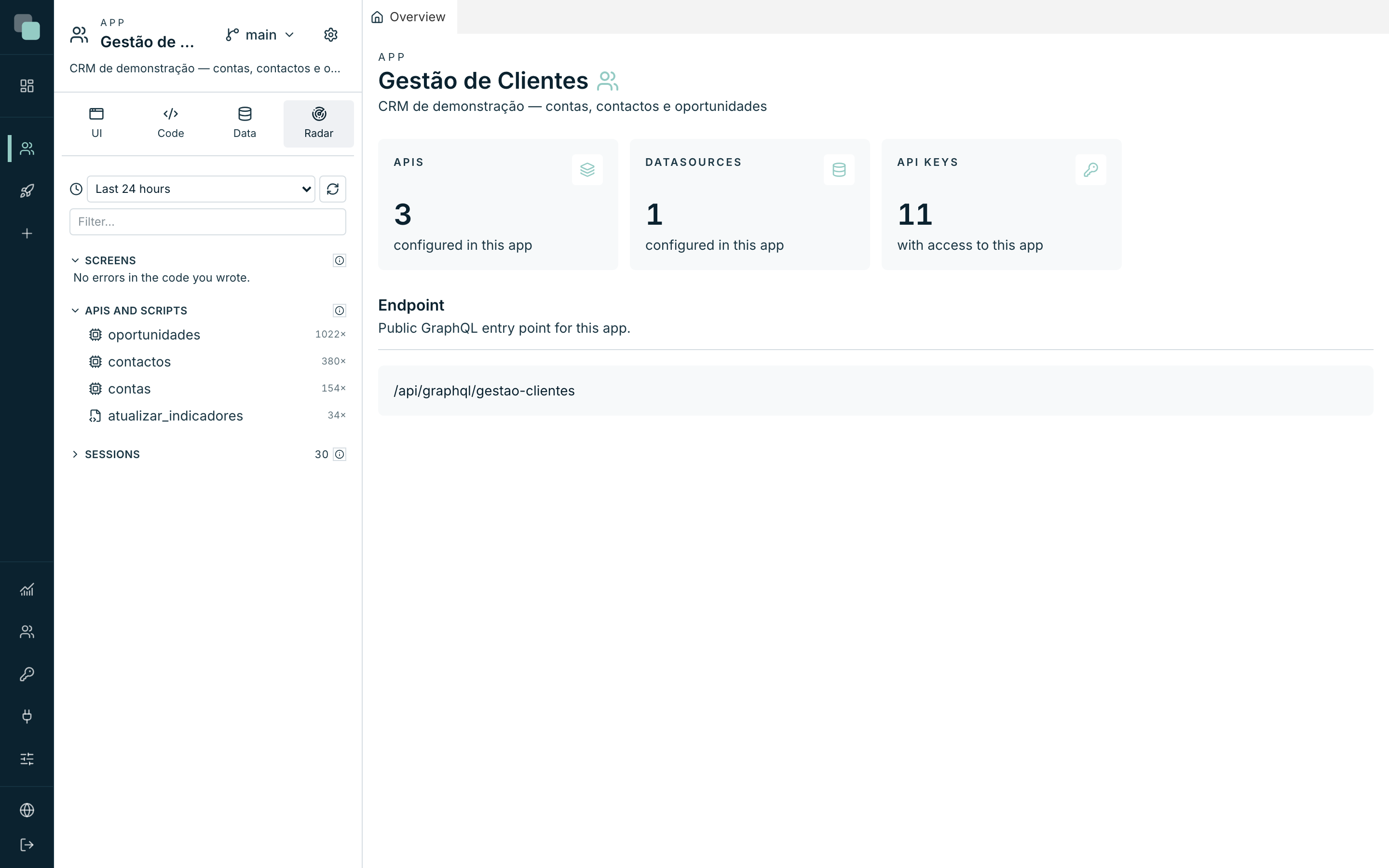
Radar — The minitab of the app tree that shows what the app is doing and where it fails: API calls, script runs, user sessions and problems — distinguishing errors of your code from errors of the platform.
Report — A PDF or Excel document designed in the platform, with groupings, charts and scheduled delivery. It lives in the Data minitab, Reports section.
Role — The profile of a builder's account: admin or developer. It is changed in the global Users menu and applies at the next login.
Route — The path of a screen inside the app's address (e.g.: /customers).
System screens have fixed routes.
Route parameter — A value that comes in through a screen's address (e.g.: the customer id in the record page). It is declared in the screen's Route parameters section and used in the data bindings.
S
Schedule — The automatic run of a script at a time or on an interval. It lives underneath the script, in the tree of the Code minitab; it can be enabled and disabled without deleting it.
Screen — A page of the built app, designed in the visual editor. It has a route, it can have parameters, and it is made of widgets bound to data.
Script — Logic in Python that runs on the server: by hand, on a schedule, or as a step of an API. Each script has its own files, dependencies and run history.
Secrets — Sensitive values of the app (tokens, service passwords) stored encrypted and available to the scripts and APIs without appearing in the code. They live in the Code minitab, App group.
Session — The period between signing in and signing out. In Radar, the session of an app user shows the path they walked, step by step.
Slug — The short form of an app's name, derived automatically (e.g.:
Customer Management → gestao-clientes). It goes into the addresses:
/app/gestao-clientes, /api/graphql/gestao-clientes.
System screen — A screen that exists in every app, with a fixed route and access: Login, Recover password and Register. It lives in the System group of the screens tree; its appearance is edited like that of any other screen.
T
Tab — A tab of the work area: every screen, API, script or panel you open is a tab. They are dragged to split the space; closing a tab with unsaved changes asks for confirmation.
Table API — An API generated from a table of the data model: you choose the table, the exposed actions (read, insert, update, delete) and the included fields, and the operations are ready.
Theme — The colors, typefaces and appearance of the built app, defined per app in the Theme section of the settings.
Translations — The languages of the built app and its texts in each one, managed in the Translations section of the app settings.
Trigger — A database automation that reacts to inserts, changes or deletes in a table, built visually on top of a datasource.
TypeScript — The language of the screen events: the code that runs when a button is clicked or a value changes, written in the code editor of the screen builder.
U
Users (platform) — The global menu where administrators manage the accounts of the people who build: create accounts, change roles, reset passwords, disable access.
V
Version — A complete copy of an app's design and data, with a life of its own. See Essential concepts.
W
Widget — A piece of a screen: table, field, button, chart, calendar, kanban, … The app comes with more than 30 System widgets and you can program your own, which become available in the same palette.
Workflow — A business process designed in steps: decisions, waits, human tasks. It lives in the UI minitab, Workflows section.
Working version — The version YOU are working on, chosen in the Versions menu. It is individual: switching yours does not change anyone else's.
Workspace — The work area of an app: the tabs where everything is edited, next to the tree. The layout of the tabs persists per app.