The scripts SDK
The eight modules of the api_manager SDK — datasources, HTTP, logs, uploaded files, secrets, notifications, workflows and reports — with Python examples.
Inside a script, the whole app is one import away. The SDK is called
api_manager and is imported module by module:
from api_manager import db, http, log, files, secrets, notify, workflow, reports
These eight names are the SDK's entire public surface — what isn't here does not exist at run time:
| Module | What for |
|---|---|
db |
Querying the app's datasources (Oracle, PostgreSQL, MySQL/MariaDB, SQL Server, …). |
http |
HTTP requests to external services, with automatic JSON. |
log |
Writing lines to the run's logs. |
files |
Reading files uploaded through an API. |
secrets |
Reading the app's secrets, decrypted on the server. |
notify |
In-app notifications and emails to the app's users. |
workflow |
Starting workflows, waking waits and deciding human tasks. |
reports |
Generating the app's reports as PDF or Excel. |
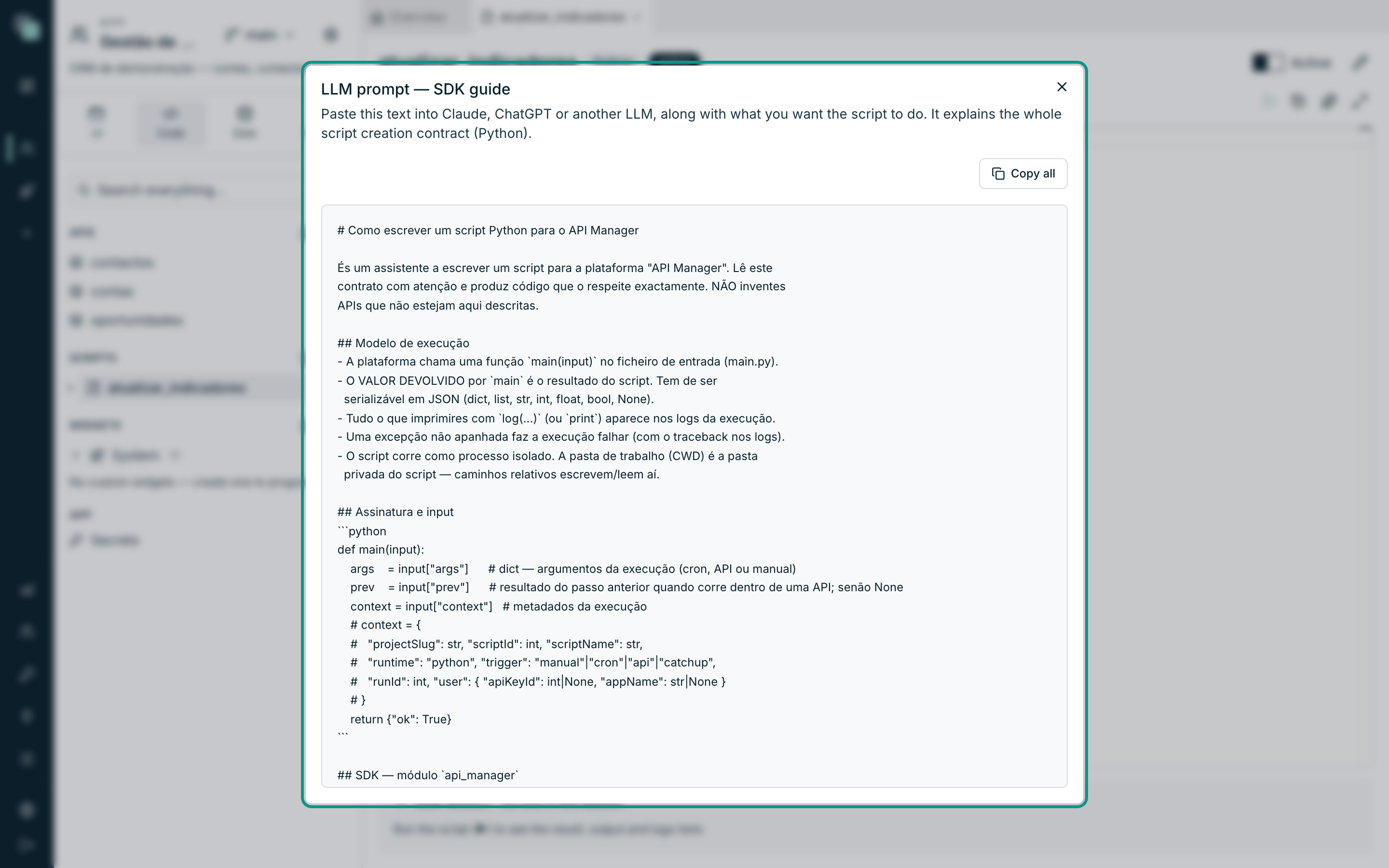
The editor autocompletes all of this — the names, the parameters and each function's documentation appear as you type.
Tip
The LLM prompt button in the editor's bar opens the complete SDK guide, ready to copy with Copy all. Paste it into Claude, ChatGPT or another assistant, along with what you want the script to do — the assistant then knows the exact contract and won't invent functions that don't exist.
db — the app's datasources
The datasources configured in the app are referenced by name. Two functions:
from api_manager import db

crm = db("Dados CRM")

linhas = crm.query(          # list of dicts (column -> value)
    "select id, nome from contas where cidade = ?", ["Lisboa"]
)
conta = crm.query_one(       # the first row, or None
    "select * from contas where id = ?", [42]
)
params is a positional list. The placeholders are the engine's own, from
the datasource:
| Engine | Placeholders | Example |
|---|---|---|
| PostgreSQL | $1, $2, … |
where id = $1 |
| MySQL / MariaDB | ? |
where id = ? |
| Oracle | :1, :2, … |
where id = :1 |
If the datasource does not exist, the call raises an error (and the run ends in Error, if you don't catch it).
Warning
Dates on Oracle: avoid passing them as parameters — JSON transport makes the
type ambiguous. Prefer the literal in the SQL:
TO_DATE('2026-06-25','YYYY-MM-DD').
A binary column (bytea, blob, varbinary) arrives as bytes, and a
bytes parameter is written as binary:
foto = crm.query_one("select foto from contas where id = ?", [42])["foto"]
crm.query("update contas set foto = ? where id = ?", [novos_bytes, 42])
http — requests to external services
Five verbs, all with automatic JSON — a body dict or list goes out as JSON,
and a JSON response arrives already decoded:
from api_manager import http, log

r = http.get("https://api.exemplo.com/clientes")
# r = {"status": int, "ok": bool, "body": <decoded json or text>}
if r["ok"]:
    log("received", len(r["body"]), "customers")

r = http.post(
    "https://api.exemplo.com/leads",
    body={"nome": "Vininha & Filhos", "origem": "keplin"},
    headers={"Authorization": "Bearer abc123"},
)
There are also http.put(url, body, headers), http.patch(url, body, headers) and http.delete(url, headers). r["ok"] is true for 2xx
responses — a 404 or a 500 does not raise an exception, check the status
yourself.
log — the run's logs
from api_manager import log

log("processing", 42, {"fase": "inicial"})
It takes several arguments, like print — and each call is one line in the
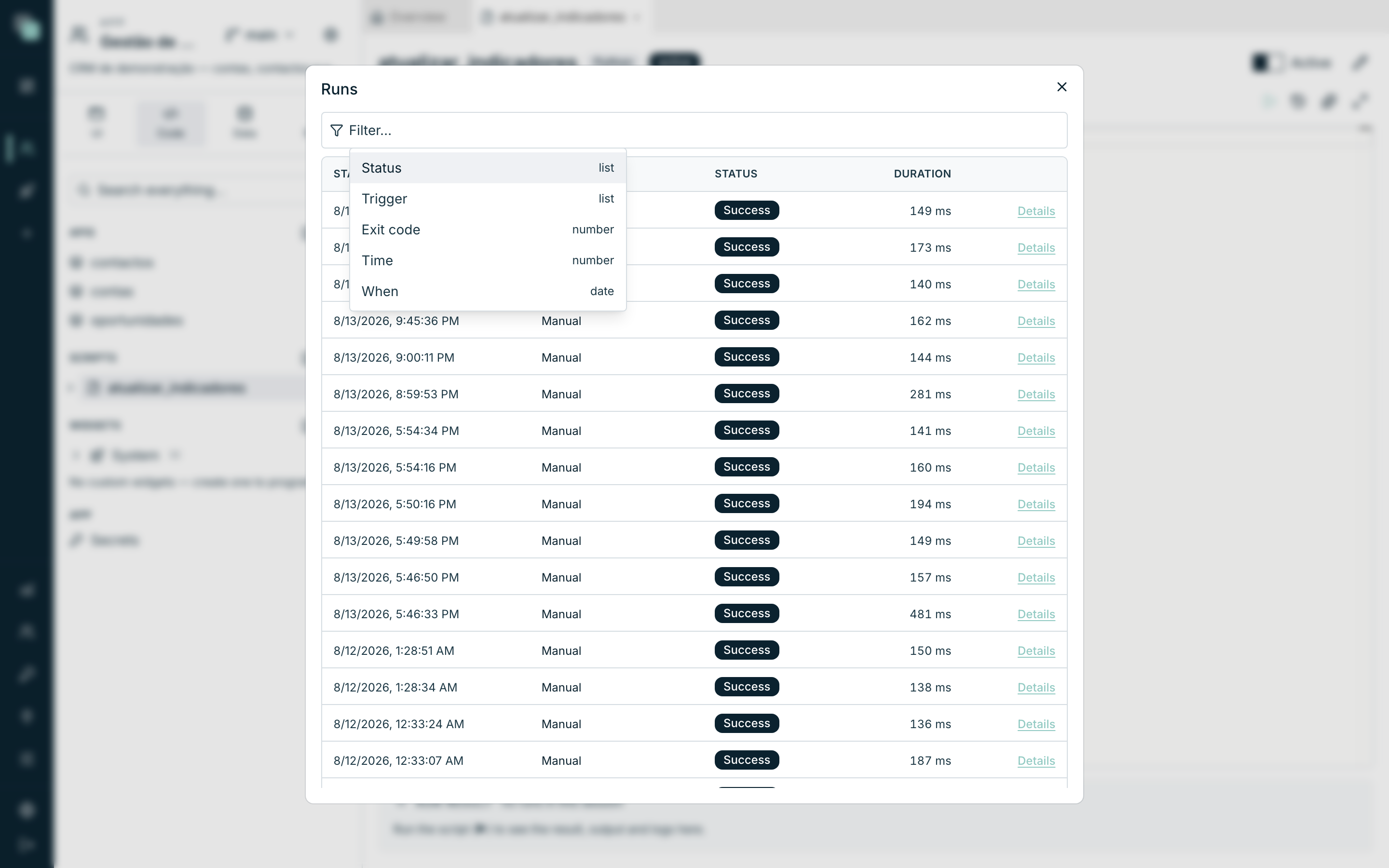
run's logs, visible in the Run result panel and in the Runs history.
The classic print is captured too, but log is the SDK's canonical form.
files — uploaded files
When an app API has an argument of type Upload, the client sends a file
and the script receives it in input["args"] as a handle — the bytes stay
on disk, not in memory. The files module works on that handle:
from api_manager import files


def main(input):
    f = input["args"]["ficheiro"]      # the upload handle
    texto = files.read_text(f)         # str (utf-8)
    dados = files.read(f)              # bytes
    caminho = files.path(f)            # absolute path on disk
    files.save(f, "ultimo-recebido.csv")   # copies to the script's folder
    return {"nome": f["filename"], "tamanho": f["size"]}
The handle carries filename, mimeType and size — useful for validating
before processing.
secrets — the app's secrets
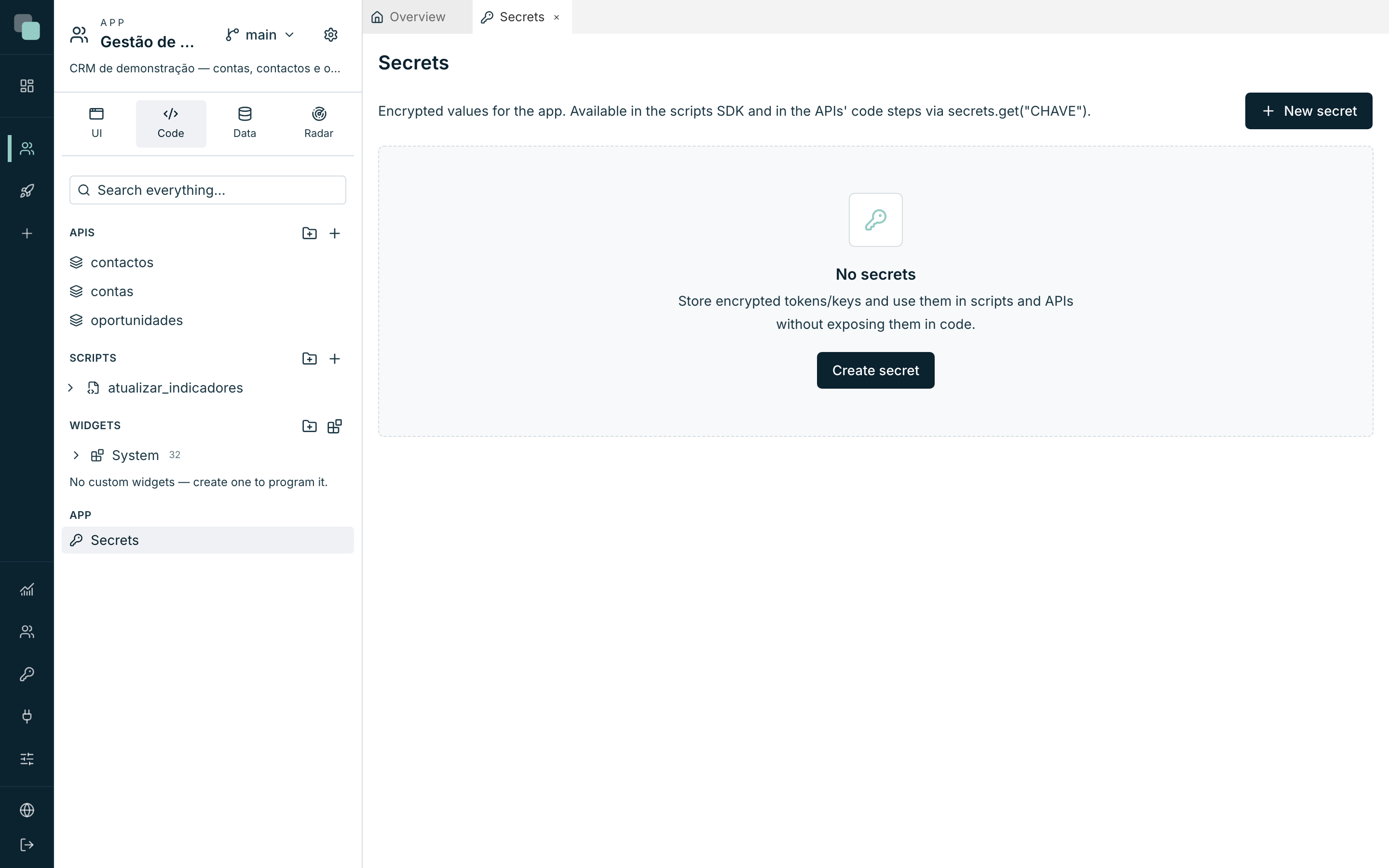
Tokens and keys are stored on the app's Secrets page (side tree, App group), encrypted. The script reads them by key:
from api_manager import secrets

token = secrets.get("STRIPE_KEY")   # -> str | None
if token is None:
    raise RuntimeError("Secret STRIPE_KEY not configured in this app.")
The value is decrypted on the server, at run time — it never reaches the browser and never sits in the code.
Warning
Don't do log(token). Logs stay in the run history — a secret written to a
log has stopped being a secret.
notify — notifications and emails
The app has two fixed channels — an in-app one and an email one —
which can be enabled in the app's Notifications settings (that is where
the SMTP configuration and the sender live). users are usernames of app
users; roles expand to every member of the role.
In-app, in real time:
from api_manager import notify

r = notify.send(
    "Report ready",
    subtitle="Monthly reports",
    body="The monthly report is available.",
    users=["joao"],
    roles=None,
    data={"url": "/relatorios/42"},
)
# r = {"recipients": int, "delivered": int}
delivered counts the ones delivered in real time, to whoever is connected;
the rest stay in the inbox and arrive when the person signs in.
Email:
r = notify.email(
    "Stock alert",
    to=["chefe@empresa.pt"],      # free-form addresses
    users=None,
    roles=["admin"],              # and/or app users and roles
    text="Stock below the minimum.",
    html=None,
)
# r = {"accepted": [emails], "skipped": [usernames with no email]}
The SMTP send happens asynchronously on the server — the script does not
wait. attachments takes attachments with the content in base64 (see
reports below for the typical case).
workflow — the app's workflows
A script can start a workflow, wake up whoever is waiting for an event, and
decide human tasks. The workflow is referenced by name (or by its stable
identifier); key is the key of the record it runs on:
from api_manager import workflow

r = workflow.start("Aprovação de despesa", 42, data={"valor": 1200})
# r = {"instanceId": int}

r = workflow.signal("visto", key=42)
# r = {"woken": int}

abertas = workflow.tasks("joao")
# open tasks for that app user, with the possible decisions

r = workflow.complete(task=17, outcome="aprovar", as_user="joao",
                      data={"nota": "ok"})
# r = {"ok": bool}
Rules that matter:
workflow.startreturns as soon as the engine reaches the first wait — it never waits for the workflow to finish.workflow.signalwithout akeywakes every workflow parked on that event;{"woken": 0}is not an error — there may simply be nobody waiting.- In
workflow.complete,as_useris required (whoever decides goes into the history) and the task must be assigned to that user. The values ofoutcomeare the outputs of the task node — the same ones the person sees as buttons. Don't invent names.
reports — generating the app's reports
The document is generated on the server, with the app's data, from an existing report:
from api_manager import notify, reports

r = reports.render("Facturas do mês", {"mes": "2026-03"})
# r = {"filename", "pages", "format", "mime", "bytes", "base64"}

notify.email(
    "March invoices",
    to=["financeiro@empresa.pt"],
    text="Attached.",
    attachments=[{"filename": r["filename"], "content": r["base64"]}],
)
The optional third argument is the format: "pdf" (the default) or "xlsx".
The parameters are the ones the report declares. In the result, bytes comes
ready to write to disk and base64 ready to attach to an email.
A script runs with nobody signed in: reports.render and the workflow
verbs read and write data as the app itself, with all active APIs, both in a
schedule and in Run now.
A complete example
Along the lines of the atualizar_indicadores script of the Customer
Management app — it reads the pipeline, writes useful logs and warns when
closes are coming up:
from datetime import date, timedelta

from api_manager import db, log, notify


def main(input):
    crm = db("Dados CRM")

    abertas = crm.query_one(
        "select count(*) as n, coalesce(sum(valor), 0) as total "
        "from oportunidades where fase not in ('fechada_ganha', 'fechada_perdida')"
    )

    limite = (date.today() + timedelta(days=7)).isoformat()
    fechos = crm.query(
        "select titulo, data_fecho from oportunidades "
        "where fase not in ('fechada_ganha', 'fechada_perdida') "
        "and data_fecho <= ? order by data_fecho",
        [limite],
    )

    log("pipeline:", abertas["n"], "opportunities /", abertas["total"], "EUR")
    if fechos:
        notify.send(
            "Closes this week",
            body=f"{len(fechos)} opportunities expected to close by {limite}.",
            roles=["comercial"],
        )

    return {
        "oportunidades_abertas": abertas["n"],
        "valor_pipeline": abertas["total"],
        "fechos_proximos_7_dias": len(fechos),
    }
Limits and good practice
- The result of
mainmust be JSON-serializable; maximum 32 MB. - Every run respects the script's Time limit (30 seconds to 10 minutes) — when exceeded, the process is killed and it ends as Timeout.
- Runs are isolated: don't rely on variables from a previous run. Persist to files in the script's folder or to a datasource.
- Call
log(...)at every relevant stage — it is what you will be reading when something fails at 7:00 on a Sunday. - Catch recoverable errors and record them; let the fatal ones through — an uncaught exception marks the run as Error, and that is what you want to see in the history when something is genuinely wrong.
- Don't print secrets, and always read them from
secrets— never write them in the code.
Frequently asked questions
from api_manager import db fails on my computer.
That is expected: the api_manager module only exists while running on the
platform — that is where it is injected. In the editor you get the full SDK
autocomplete; the api_manager.py file you see in the script's folder exists
purely for that.
db("name") says the datasource does not exist.
The name must be exactly the datasource's name in the app (e.g. Dados CRM, with the capital letter and the space). See the list in the
Datasources section of the tree.
notify.email returned accepted but the email never arrived.
The SMTP send is asynchronous — accepted means the email went out to the
app's email channel. Check the SMTP configuration in the app's
Notifications settings and the recipient's spam folder.
Can I use the SDK in a window's validation?
Yes — the validation runs in the same environment as the main script, with the
same input and the same SDK. See Schedules.