Scheduling and sending
Booking a report's generation and its sending by email — frequency, recipients, format and parameters — and what to do when a schedule falls short.
A designed report is a report someone has to go and fetch. Schedules solve the most common case without writing a line of code: "the sales pipeline goes to management every Monday at 8".
"Email this report on its own, at the set time." That is it, and nothing more — whatever needs more is done with a script, and this page explains when.
We continue in the Opportunities by account report of the Customer Management app, with the Pipeline de segunda-feira schedule.
A report's schedules
Schedules live in the report itself: open the report and look at the end of the left column, in the Schedules section. Each row is a booked sending, with the summary below the name — the time, the time zone, the format and who it goes to.
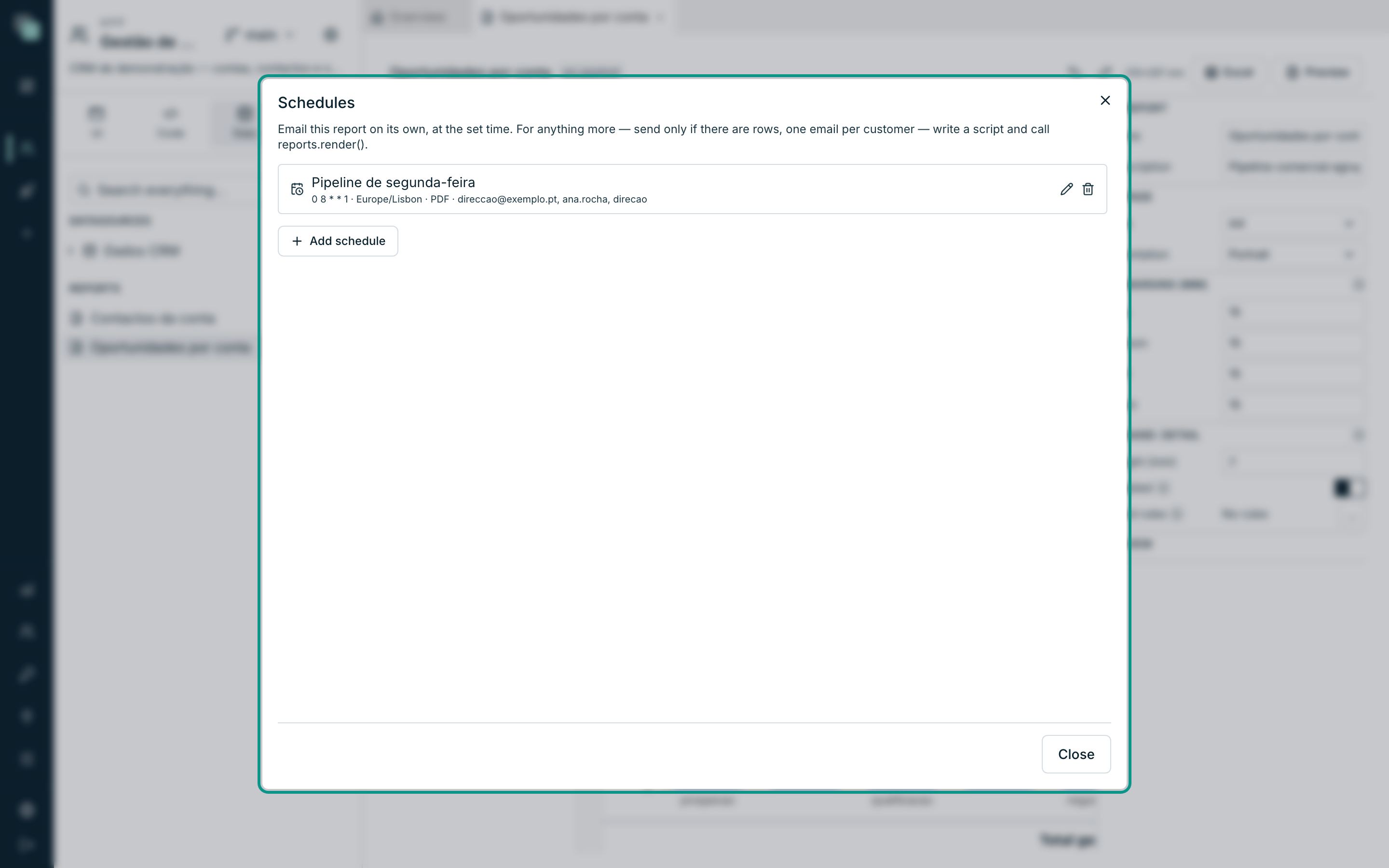
A switched-off schedule appears marked as off. The icons on the right of each row edit and delete.
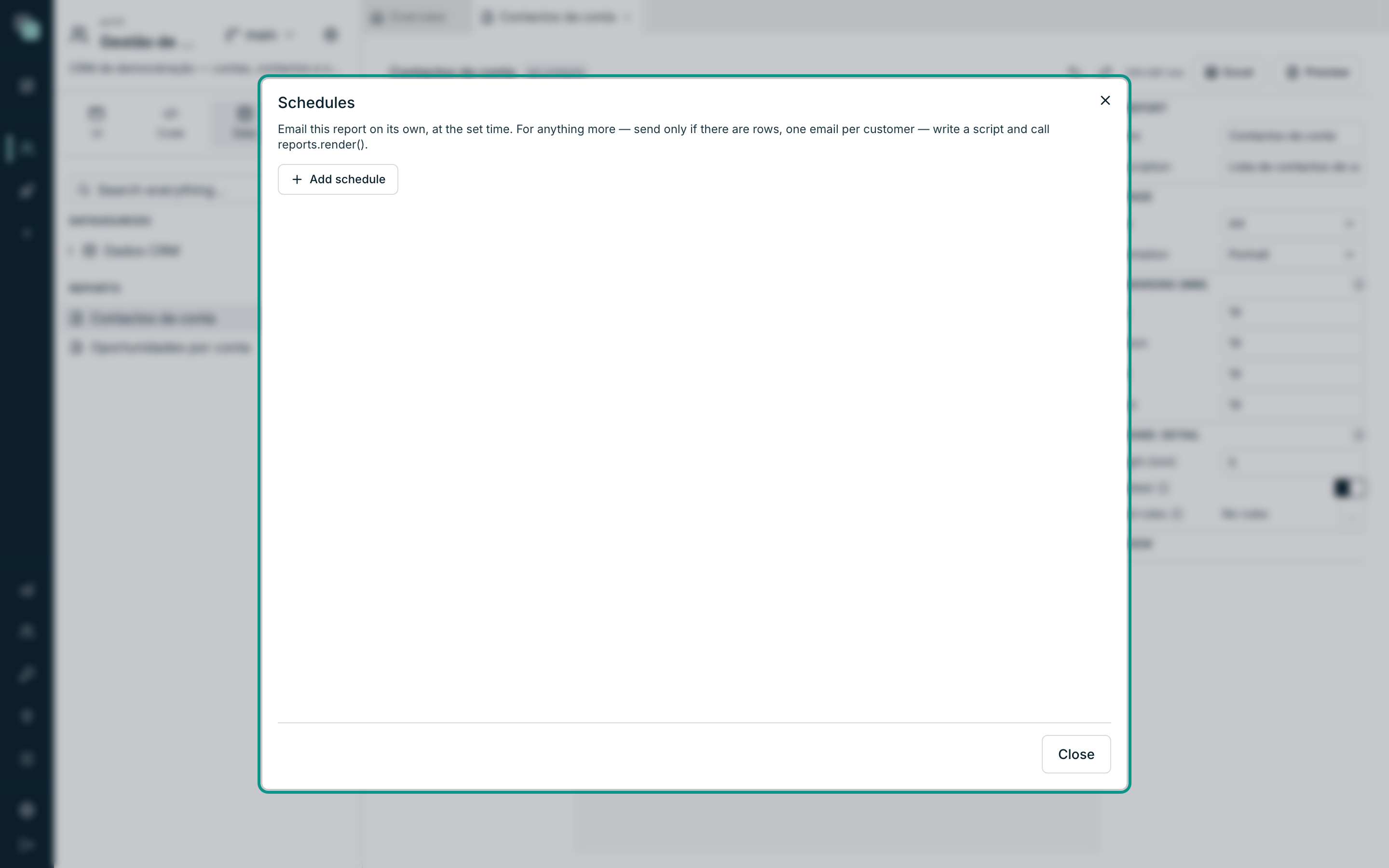
On a report that has none yet, the list shows "No schedules." and all that is left is to create the first:
Creating a schedule
- Open the report and click the + of the Schedules section (or the Add schedule button, at the end of the list).
- Fill in the form.
- Click Save.
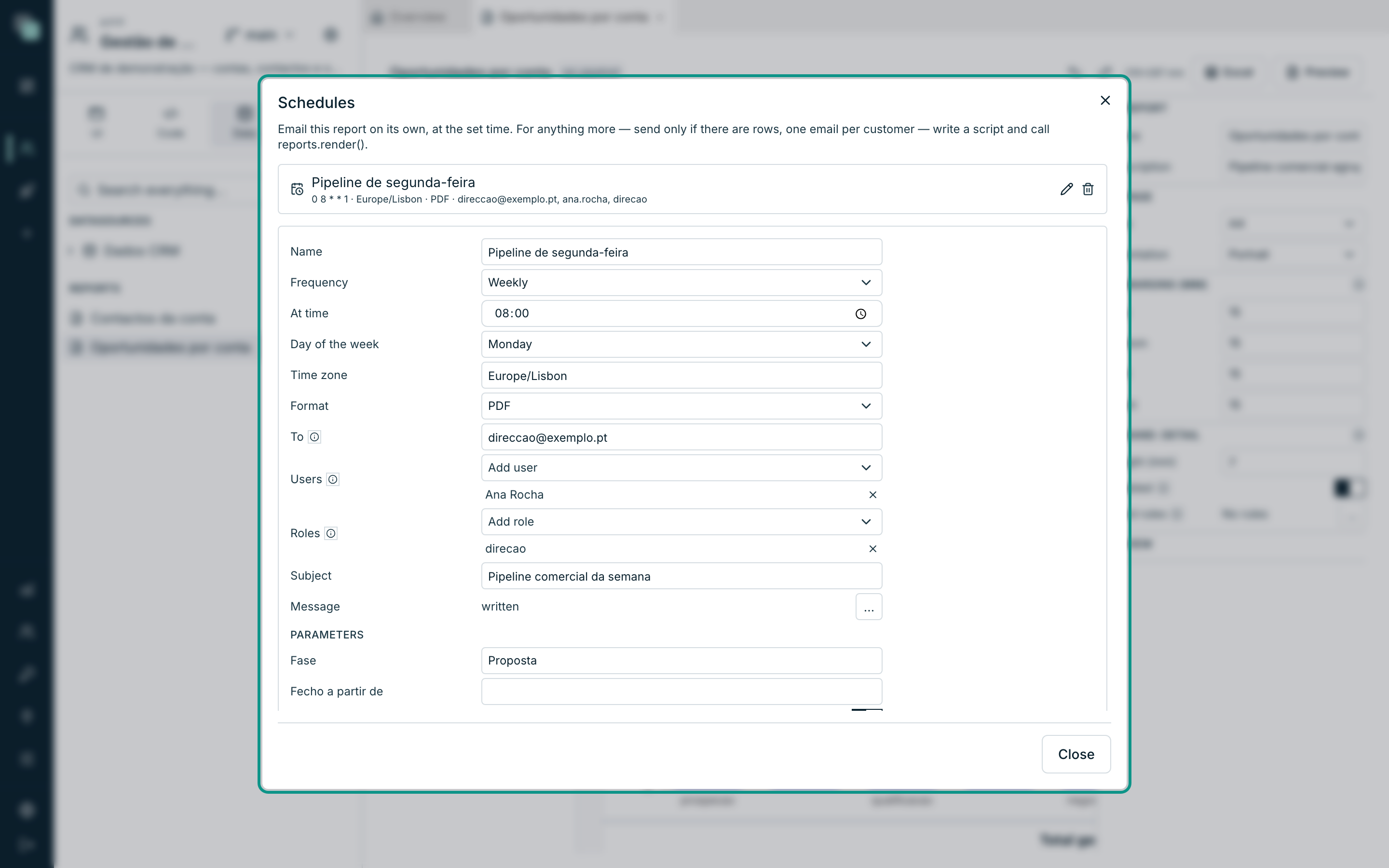
When
| Field | Notes |
|---|---|
| Name | Identifies the schedule. It is what it appears by in the history. |
| Frequency | Daily, weekly or monthly. |
| At time | The time of the sending. |
| Days (daily frequency) | All, Weekdays or Weekend. |
| Day of the week (weekly frequency) | From Mon to Sun. |
| Day of the month (monthly frequency) | From 1 to 31. |
| Time zone | By default, the time zone of the browser of whoever creates the schedule. The time is read in this time zone, and the report's dates with a time are written in it. |
Note
On a monthly frequency, "in months without that day it will not run" — day 31 skips February, April, June, September and November. For "the last day of the month", use a script.
What
| Field | Notes |
|---|---|
| Format | PDF or Excel. |
| Parameters | One field per parameter the report declares. It is with these values that it runs. |
| Enabled | Switched off, the schedule is kept but does not fire. |
In the example, the Fase parameter goes filled in with Proposta and
Fecho a partir de stays empty — the same report serves several
schedules, each one with its own slice.
To whom
There are three ways of saying the destination, and all three can be used at the same time:
| Field | Notes |
|---|---|
| To | "Email addresses separated by commas." For whoever has no account in the app. |
| Users | "App users. Goes to the email on their record; whoever has none is left out." |
| Roles | "Everyone with this role. Picking the role instead of the address keeps the schedule right when someone joins or leaves." |
Tip
Prefer Roles. A schedule that says "goes to whoever has the direcao
role" stays correct when management changes people; a hand-written list
of addresses goes stale the next day and nobody notices.
The email
Subject is the email's line; empty, it uses the report's name. Message opens an editor of its own for the body:
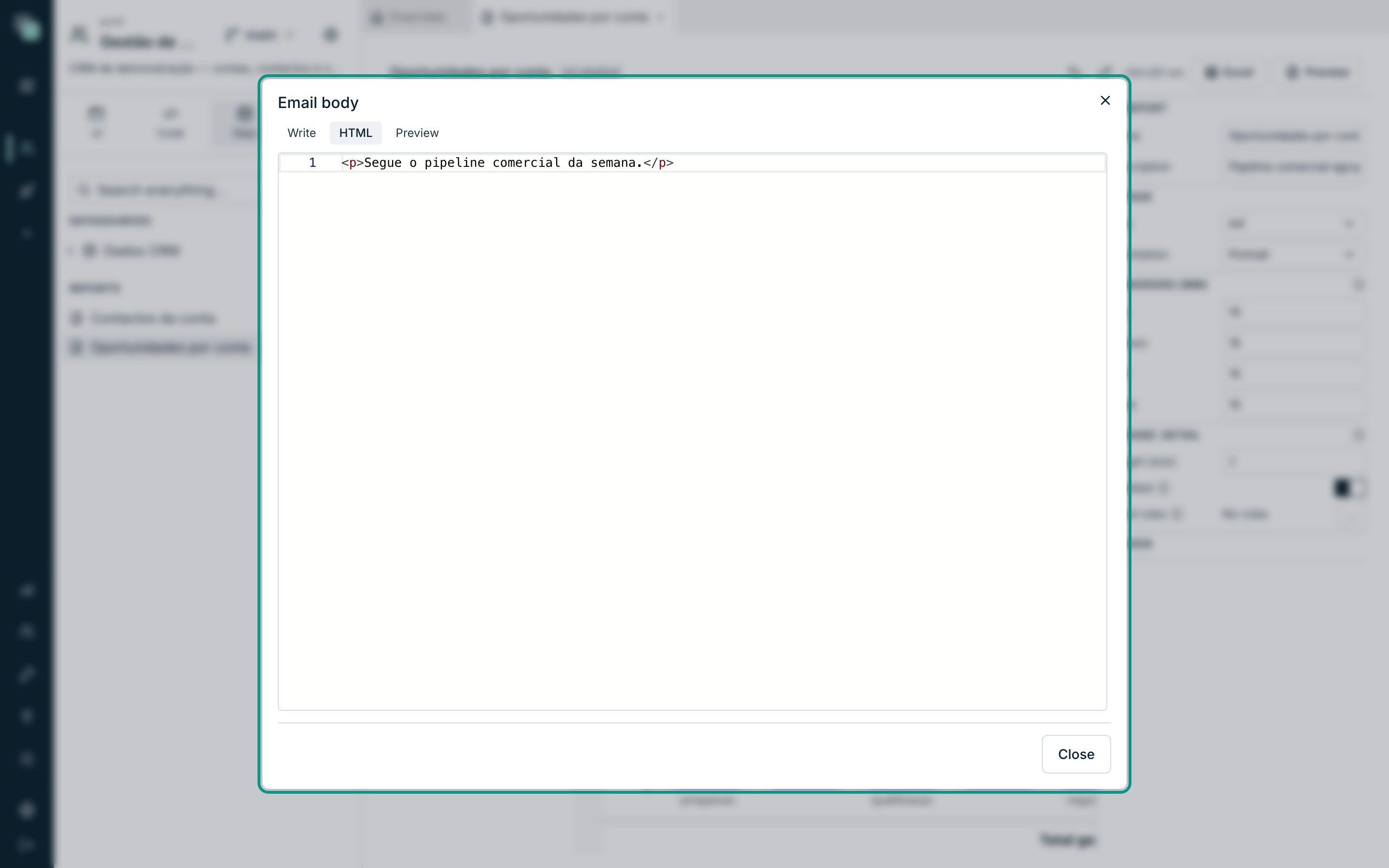
The report goes attached, in the chosen format, with the document's name. The body is only the message that goes along.
What happens at the set time
- The report is generated on the server, with the schedule's parameters.
- The file is attached to an email and sent through the app's email channel.
- What happened is recorded: the file generated and how many recipients accepted it.
If anything goes wrong — the report fails, the email channel is not configured, a recipient has no address — it is recorded and the scheduler moves on. One failed sending does not stop the others.
Warning
The sending needs the email channel active and with complete SMTP in App settings → Notifications. Without it, the report is generated and the sending fails silently in the history. Send a Send test from those settings before trusting a schedule.
A schedule with no recipients does not send either — "no recipients" is recorded and nothing happens.
At the scheduled time, nobody is signed in: the data is read as the app itself, with all active APIs and without any user's scope. The recipients get whatever the schedule's filters and parameters let through, so choose them with that in mind.
When a schedule falls short
The shortcut serves the common case. You need a Python script when you want to:
- send only if there are rows ("do not send the overdue list if there is nothing overdue");
- one email per customer, each with its own slice;
- store the file somewhere else instead of sending it;
- generate the document midway through a larger process.
The scripts SDK does exactly that:
from api_manager import reports, notify

r = reports.render("Oportunidades por conta", {"fase": "Proposta"})
notify.email(
    "Pipeline da semana",
    to=["direccao@exemplo.pt"],
    attachments=[{"filename": r["filename"], "content": r["base64"]}],
)
reports.render(...) takes the report's name or identifier, the
parameters it declares and the format ("pdf", by default, or
"xlsx"), and returns the file ready to store or attach. From there on,
the schedule is the script's — with every option the scripts'
Schedules have, including recovery of what
was left unrun.
Generating a report elsewhere
Besides schedules and scripts, a report can be generated from:
| From where | How |
|---|---|
| A screen of the app | In a TypeScript event, with the screens SDK — open the PDF for the user or get the bytes back to give them another destination. |
| A workflow | The Email step attaches a report, generated at sending time for that run's record. See Steps, decisions and waits. |
| The design | The Preview and Excel buttons, for checking while designing. |
In all of them, the report runs with the permissions of whoever asks for it: a user only sees in the document the records they would see on the screens. The data scope is applied on the server, in reports too.
Frequently asked questions
The schedule is enabled and I received nothing. Check, in this order: the app's email channel is active and tested; the schedule has recipients; the recipients have an email on their record; the report runs without error (use Preview with the same parameters).
The time is right but it arrived an hour later.
The schedule's Time zone is what rules, not the server's nor the
reader's. Confirm it is on Europe/Lisbon (or the zone you want).
Can I send the same report at two different times? Yes — create two schedules on the same report, each with its own name, time, recipients and parameters.
I deleted a schedule by accident. There is no going back. Create it again: a schedule is just a form with a time and recipients, and it takes a minute.