Validation
The data's two lines of defence — what the model guarantees and the rules that the screens' forms check before saving.
Bad data gets in by accident, not by malice: a tax number with eight digits, an email with no at-sign, a 300 % discount, a record saved without the field the rest of the process needs. Validating is closing those doors — and in Keplin they are closed in two layers, which are worth not confusing.
| Layer | Where it is defined | When it acts | What it catches |
|---|---|---|---|
| The model | In the table editor (see Tables and fields) | On any write, wherever it comes from | What must never happen to the data. |
| The field rules | In the inspector of each form field, Validation category | When the user saves a form | What the person is typing, with the right message next to the field. |
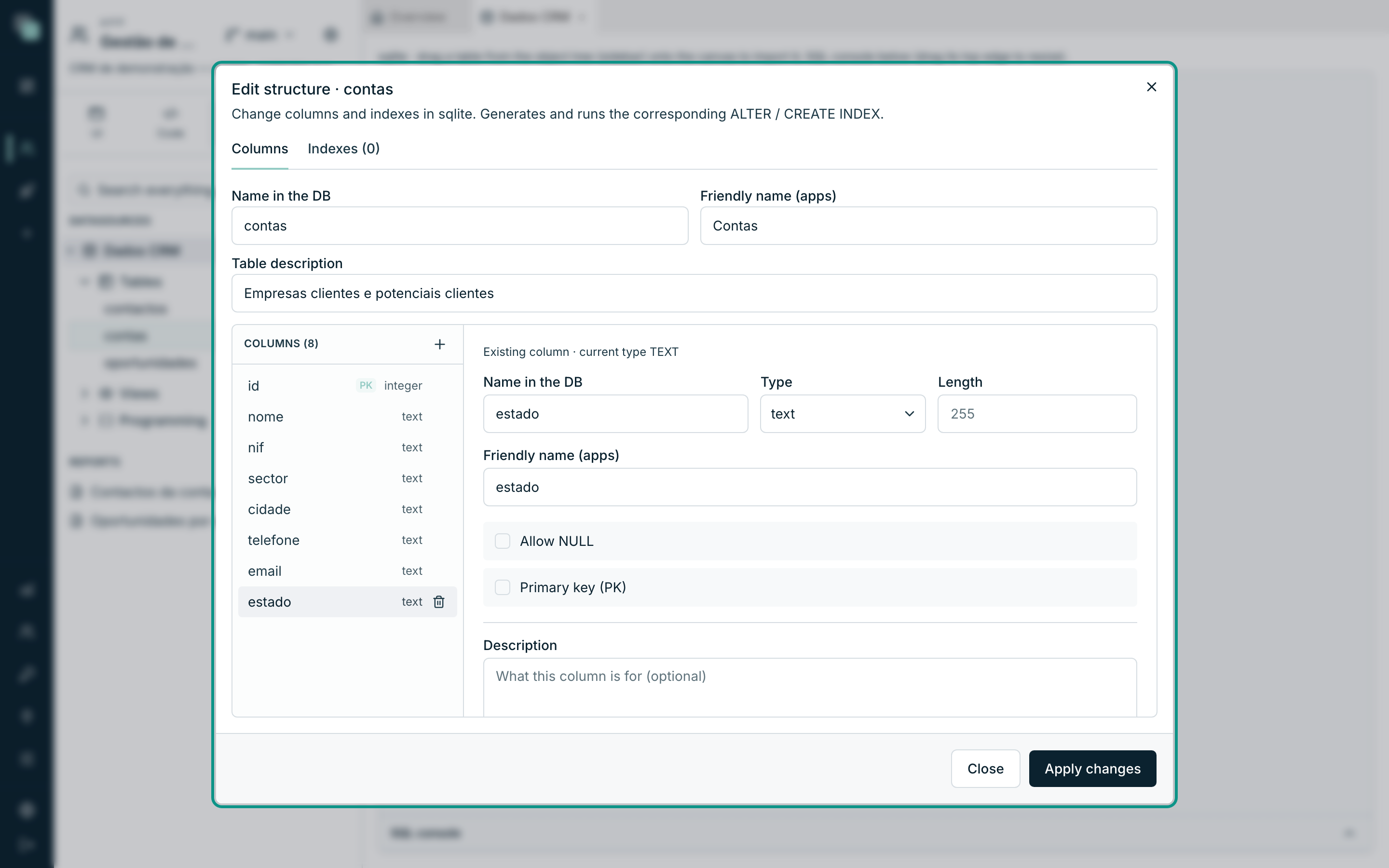
The practical rule: what is true about the data lives in the model; what is help for the user lives in the form. A required field is both things — you switch off Allow NULL in the model and switch on Required on the screen's field.
What the model guarantees
These are not "validation rules" by that name, but they are the only defence that cannot be sidestepped: they hold for the screens, for the APIs, for the scripts and for whoever writes directly to the database.
| Piece | What it prevents |
|---|---|
| Allow NULL switched off | A record with no value in that column. |
| The column's Type | Text in a date field, letters in a number. |
| Length / Precision · Scale | Text longer than the column, or money with too many decimal places. |
| Primary key (PK) | Duplicate records and records that cannot be identified. |
| Unique index | Two customers with the same tax number, two users with the same email. |
| Column of type enum | A status that is not on the list. |
| Physical relation + ON DELETE | Orphaned children, or deletions that drag along what they should not. |
Tip
Before writing a rule on a form, ask: can this ever be true of any record, ever? If the answer is no, the place is the model — because the form is only one of the doors the data comes in through.
The rules of the form fields
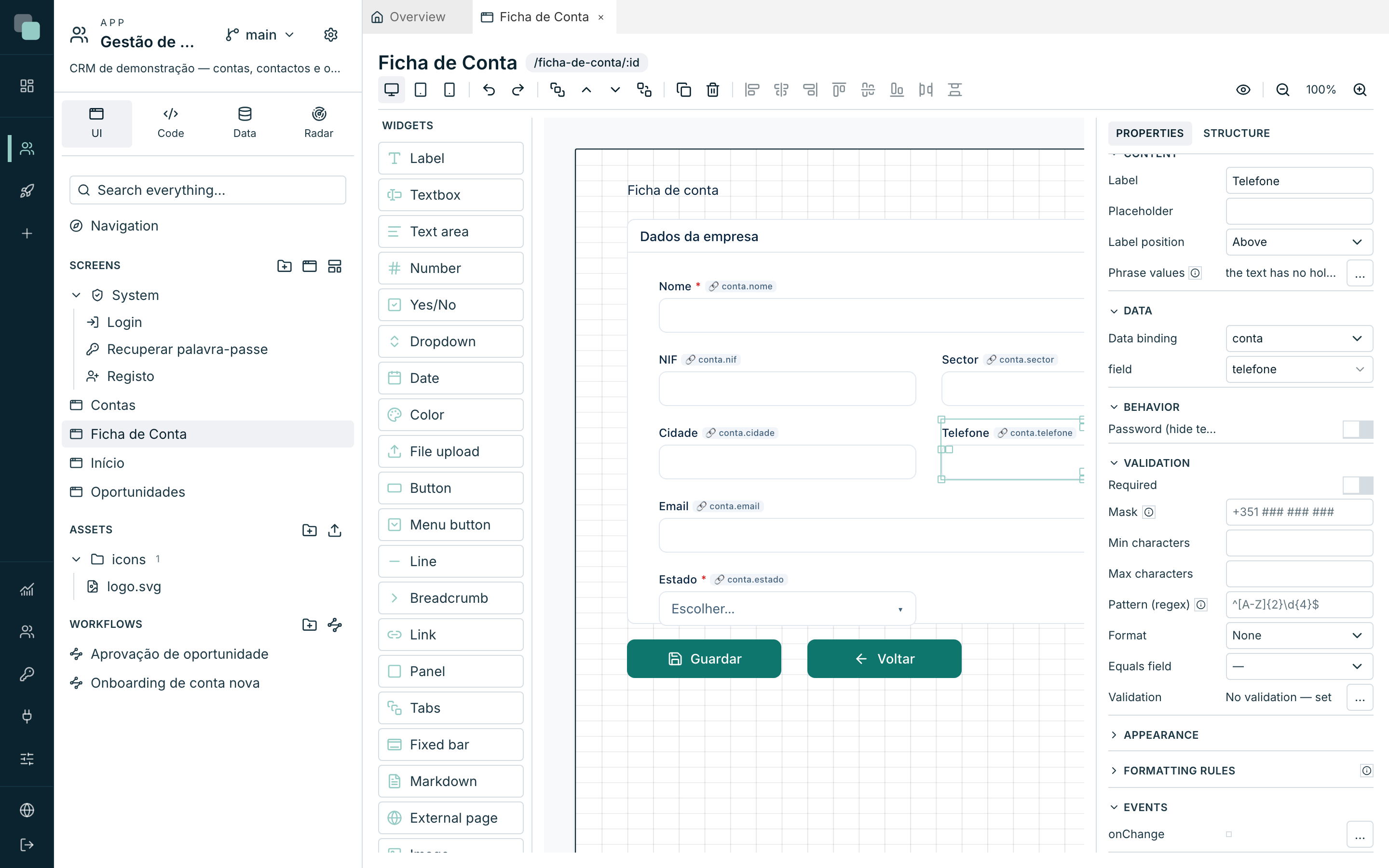
Every form field — Textbox, Text area, Number, Yes/No, Dropdown, Date, Color, File upload — has the Validation category in the inspector. That is where you declare what that field accepts.
To get there:
- Open the screen in the designer.
- Select the field — on the canvas, or through the inspector's Structure tab.
- On the Properties tab, open the Validation category.
Required
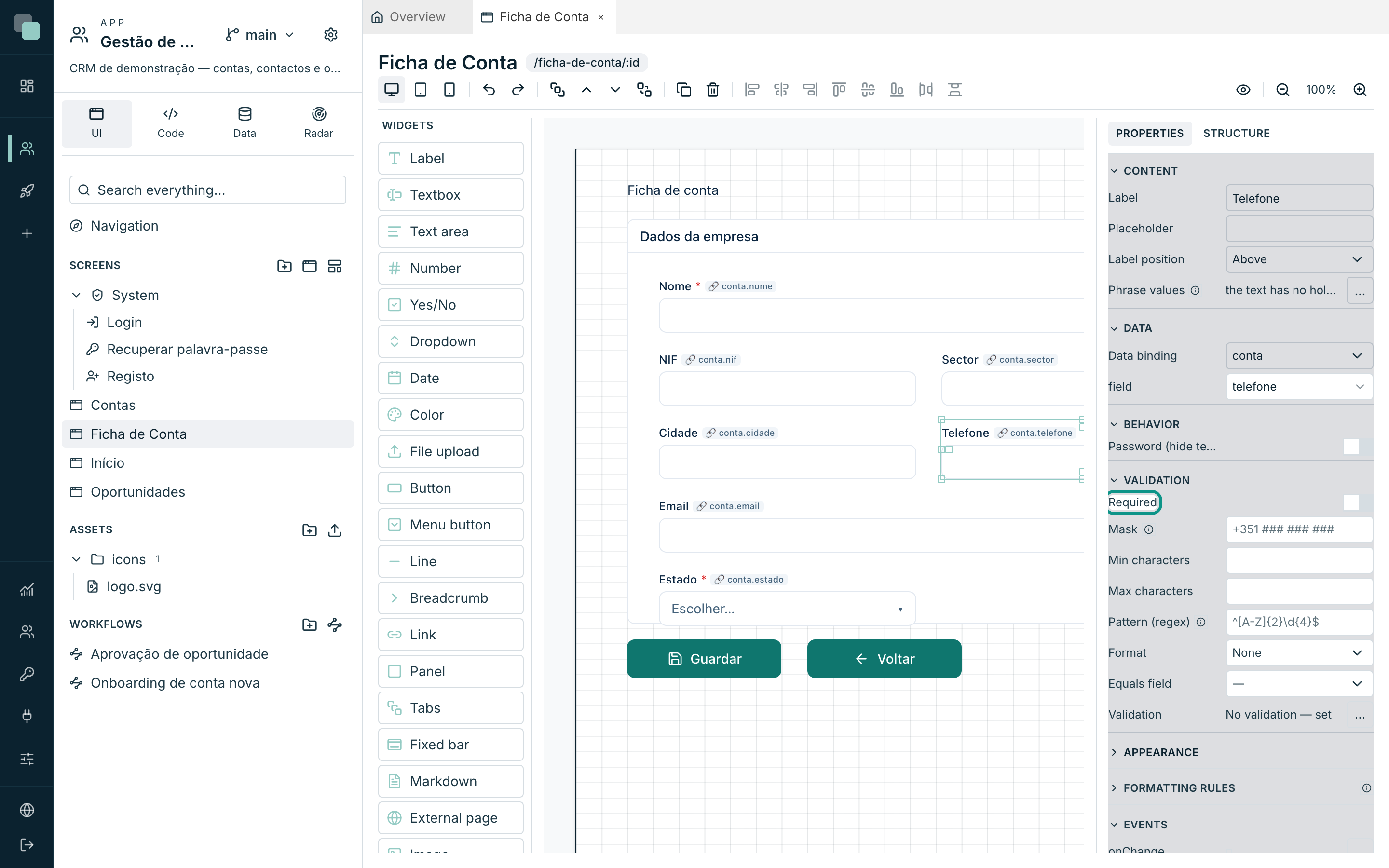
The Required switch is the first and most used of the rules: the field has to come filled in. It is also the only one that speaks of the empty — all the others let an empty field through, because empty is the business of Required.
The standard rules
Depending on the field type, the category shows the rules that make sense:
| Rule | Where it appears | What it checks |
|---|---|---|
| Mask | Textbox | The format while typing: # digit, A letter, N alphanumeric, * any — the rest is fixed text. E.g. +351 ### ### ###. |
| Min characters | Textbox, Text area | Minimum length of the text. |
| Max characters | Textbox, Text area | Maximum length of the text. |
| Pattern (regex) | Textbox, Text area | A regular expression the value has to satisfy. E.g. ^[A-Z]{2}\d{4}$. |
| Format | Textbox | None, Is email, Is phone or Is number. They are exclusive: a value cannot be email and phone at the same time. |
| Min value | Number | The smallest accepted value. |
| Max value | Number | The largest accepted value. |
| Equals field | All fields | The value has to equal another field on the screen — the password confirmation, the repeated email. |
Note
The Mask is typing help, not validation: it guides what the person types, but what guarantees the format is the Pattern (regex) or the Format. A phone number with a mask can be left half done.
Validation by code
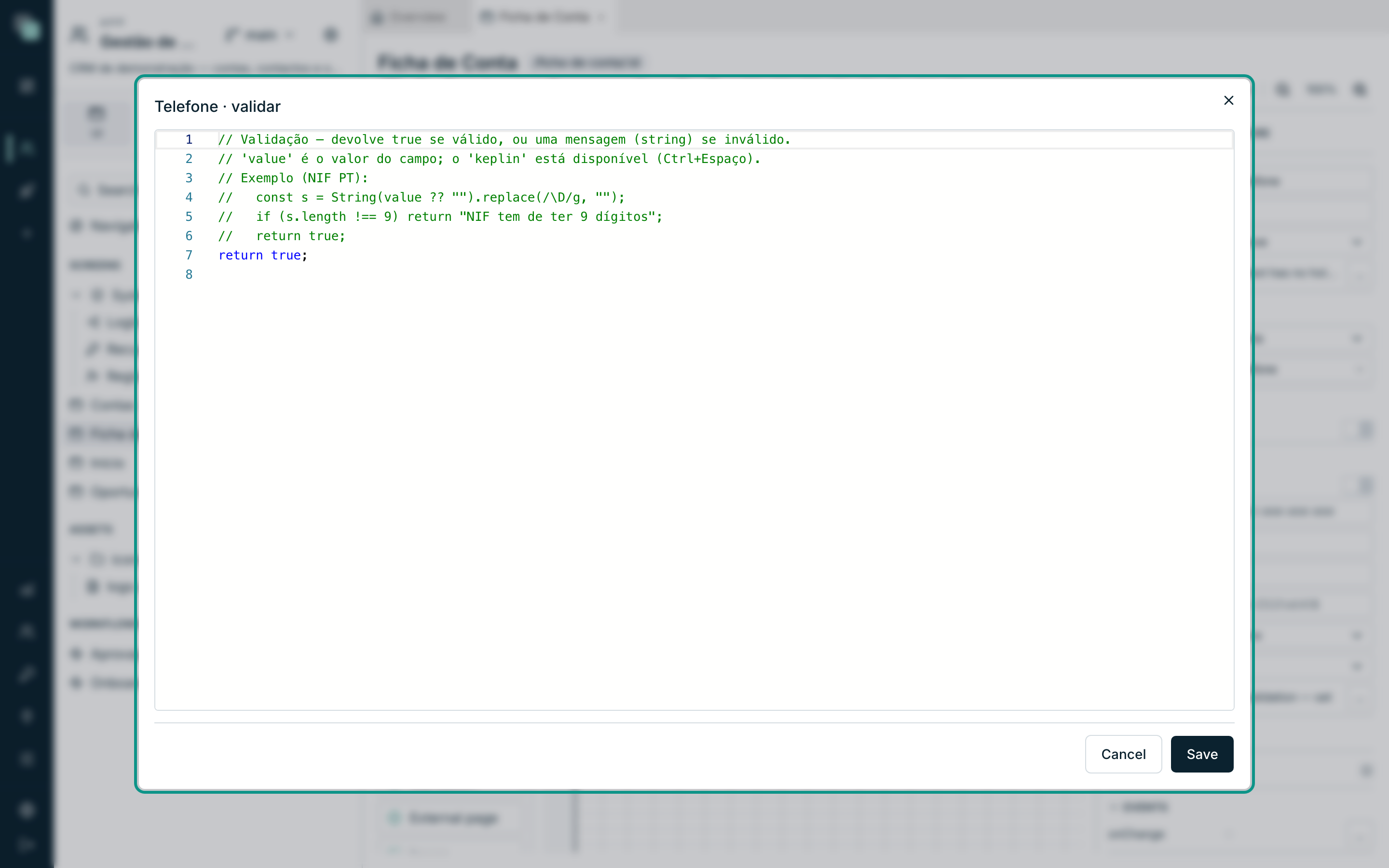
Below the standard rules sits the Validation line, which says No validation — set or Set — edit. The … button opens a code editor for the rules the fields do not cover: a tax number with a check digit, an IBAN, a date that has to be later than another, a business rule only your company has.
The code receives value — the field's current value — and returns:
true(or nothing) if the value is valid;- a string with the error message to show, if it is not.
const s = String(value ?? "").replace(/\D/g, "");
if (s.length !== 9) return "O NIF tem de ter 9 dígitos";
return true;
Inside this code you also have keplin available — good for comparing with
another field, with a session value or with data already loaded on the
screen. It is TypeScript, with suggestions as you type (Ctrl+Space); the
editor refuses to save code that is not runnable.
When validation runs
A form's validation runs on save — when the save button tells the record's datastore to save. The order is always the same, per field:
- Required — is the field filled in?
- The standard rules — length, format, minimum, maximum, pattern, equality.
- The validation by code — your rule.
The first error wins: as soon as one rule fails, it is that rule's message that appears under the field and the following ones never get to run. If any field fails, nothing is saved — the record stays as it was and the person stays on the form, with the errors in sight.
You can also validate a field by hand, from the code of an event — for example, to check a field as soon as it changes instead of waiting for the end. That is the business of Events and the SDK.
The messages
The messages of the standard rules are the platform's, written in the app's language: Required field., Invalid email., Minimum {min} characters., Maximum value: {max}., Values do not match., Invalid format. They are not edited one by one — if you need to say things differently, the place is the validation by code, where the message is the string you return.
The language comes from the app's settings (App settings ▸ Translations): the same app in Portuguese and in English shows the errors in the language of whoever is using it.
What validation is NOT
Warning
A form's validation is convenience, not security. It runs in the browser of whoever is using the app and exists to prevent honest mistakes. Whoever really wants to write an invalid value does not go through the form — they go through the API. The serious defence is the model's (types, requiredness, keys, unique indexes, enums) and that of the permissions over who can write what.
Why doesn't…?
- Why don't I see the Validation category on this widget? Only form fields validate. A Button, a Label or a Table have no value to validate.
- Why doesn't the rule fire with the field empty? On purpose: the standard rules ignore the empty, which is the territory of Required. Switch it on.
- Why did it save an invalid record anyway? Either the field was not bound to the datastore (with no binding, it does not enter the validation), or the value was written another way — an API, a script, an import. See what the model guarantees, at the top of this page.
- Why doesn't the Pattern (regex) match? It is a regular expression in
the usual syntax, and every character counts:
^[A-Z]{2}\d{4}$acceptsPT1234and refusespt1234. Test the expression before pasting it. - Why didn't it save my validation by code? The editor refuses code that is not runnable — fix the flagged error and save again.
- Why does the message appear in English? The app's language is set to English. Change it in App settings ▸ Translations.