Importing and exporting apps
.keplinapp packages — taking a whole app to another installation, with or without secrets, and what travels in each mode.
A Keplin app fits in one file. The .keplinapp package carries
everything the app is — the data model, the screens, the APIs, the
scripts, the reports, the workflows, the theme, the translations, the
roles and the permissions — ready to install on another installation of
the platform. It is the tool for three gestures:
- Moving between environments: developing on one installation and installing on the customer's production one.
- Delivering: sending the app to whoever is going to run it on another server.
- Keeping: an archived package is a copy of the app's design, which you reimport whenever needed.
The important decision is in the secrets: a package can travel clean (recommended) or complete and encrypted with a passphrase. The next two sections explain the gesture; the table in the middle says exactly what goes along in each mode.
Exporting an app
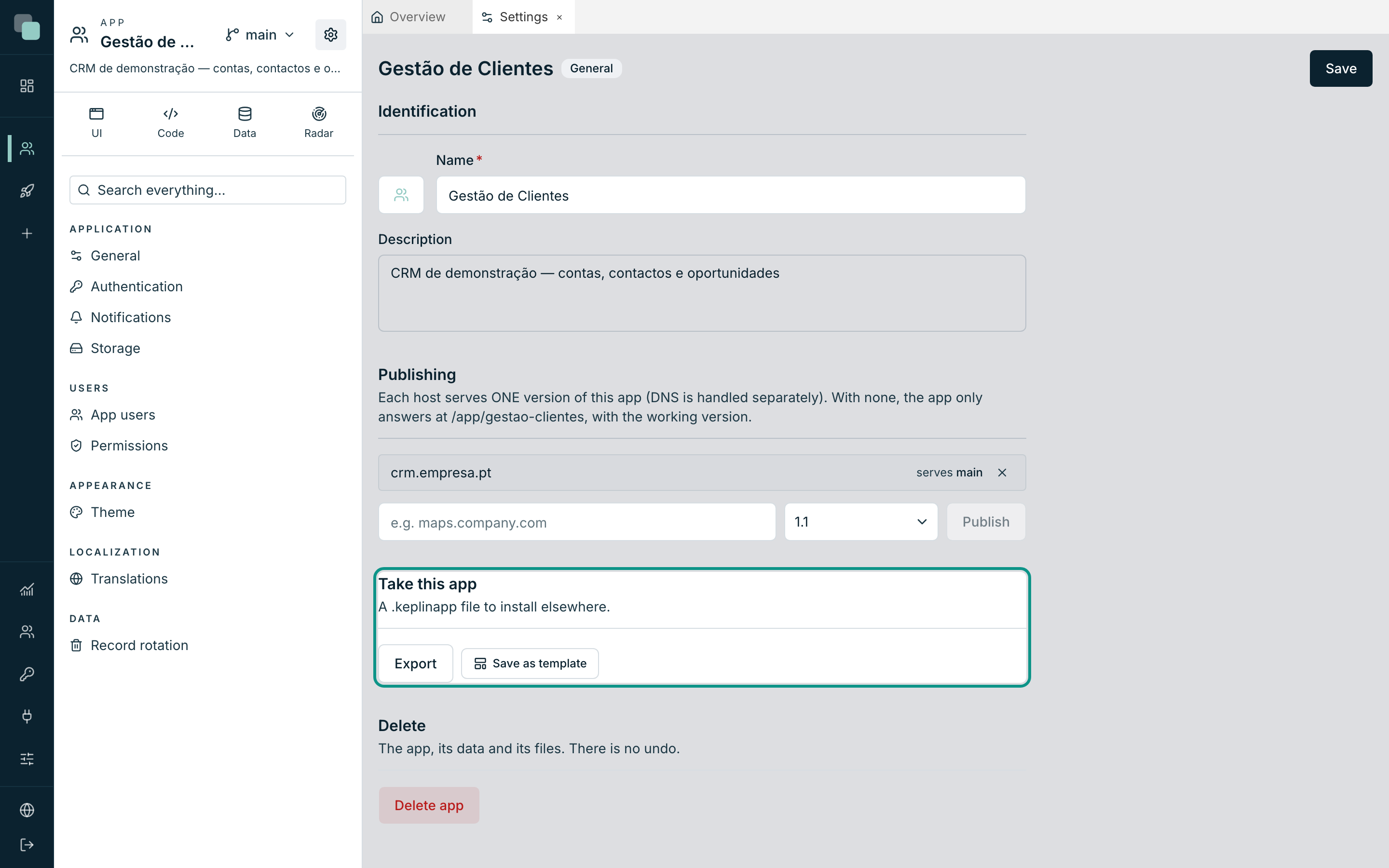
- Open the app and click the App settings gear button, then General.
- Scroll down to the Take this app panel — "A .keplinapp file to install elsewhere." — and click Export.
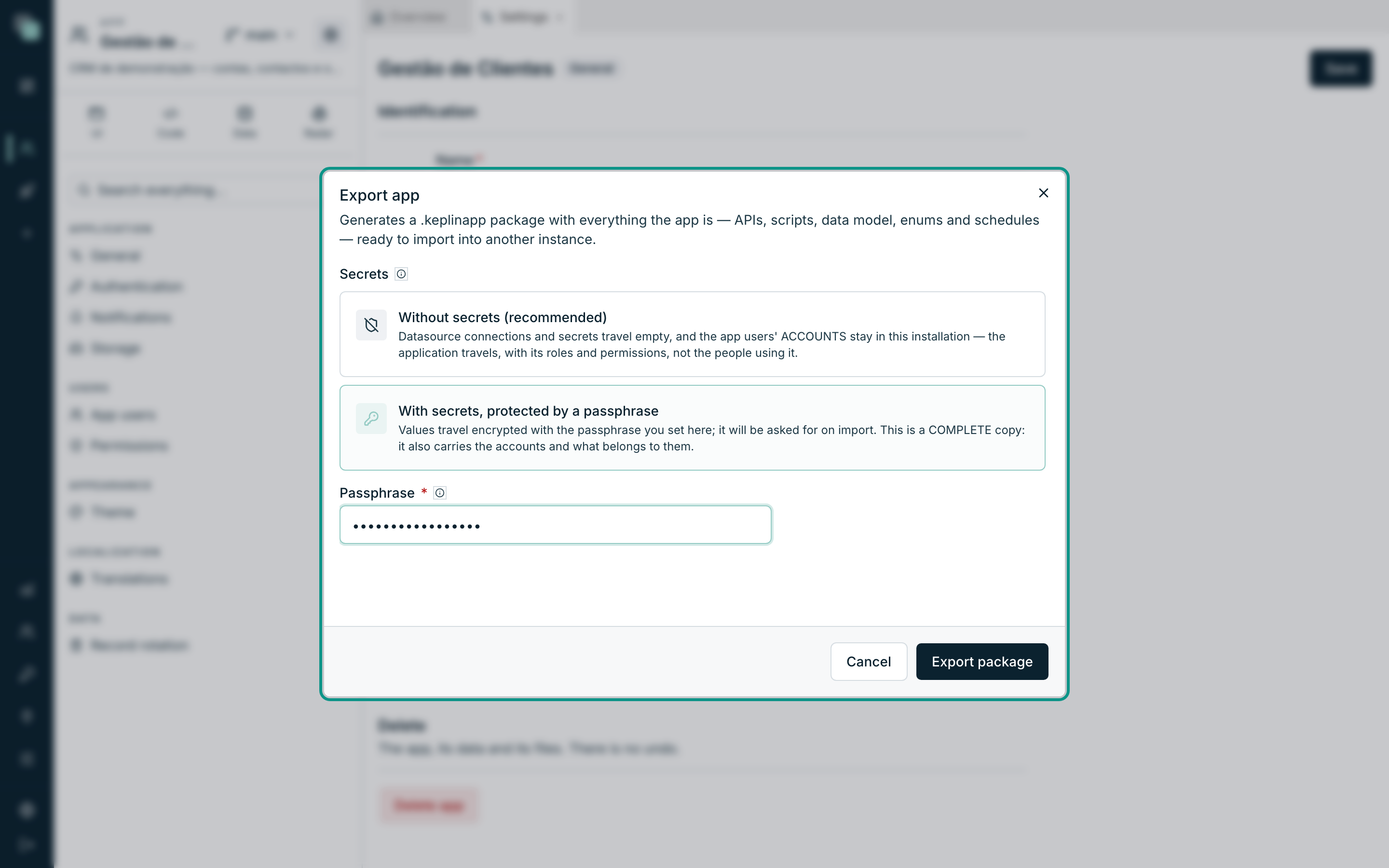
The Export app dialog opens: "Generates a
.keplinapppackage with everything the app is — APIs, scripts, data model, enums and schedules — ready to import into another instance."In Secrets, choose one of the two modes:
Mode What it means Without secrets (recommended) "Datasource connections and secrets travel empty, and the app users' ACCOUNTS stay in this installation — the application travels, with its roles and permissions, not the people using it." It is the right mode for handing the app to third parties. With secrets, protected by a passphrase "Values travel encrypted with the passphrase you set here; it will be asked for on import. This is a COMPLETE copy: it also carries the accounts and what belongs to them." It is the right mode for moving the app to another server without losing anything. If you chose the protected mode, set the Passphrase (minimum 8 characters).
Click Export package. The browser downloads the
gestao-clientes.keplinappfile and the confirmation "Package exported." appears.
Warning
"Without the passphrase, the package's secrets are unrecoverable." There is no recovery and no support request that helps: whoever loses the passphrase is left with a package whose secrets nobody reads again. Keep it in a password manager, separate from the file.
Note
The download starts right away, and the package is built as it arrives, even in an app with many files; the platform keeps responding to everyone. If the export fails midway, the browser says the download failed; export again.
What travels in the package
The package distinguishes three things: the application (always travels), what is this installation's (never travels) and the people's data (only travels in the protected mode).
| Content | Without secrets | With passphrase |
|---|---|---|
| Data model, screens, APIs, scripts, reports, workflows, enums | Travels | Travels |
| Theme, translations, roles and permissions | Travels | Travels |
| Schedules | Travel disabled | Travel disabled |
| Datasource and storage connections | The configuration is left blank | Travels, encrypted with the passphrase |
| App secrets | Only the keys, "to be configured" at the destination | Travel, encrypted |
| Data in the app's internal databases | Only the tables' structure | Complete data |
| App users' accounts, notifications inbox, uploaded files, processes midway | Everything stays in this installation | Everything travels |
| Run history and telemetry | Stays | Stays |
| API keys | Stay | Stay |
| Publishing (hosts and served versions) | Stays | Stays |
Note
Schedules arrive at the destination always disabled — even in a complete package. It is on purpose: at the destination the datasources have not yet been confirmed, and nobody wants an automatic process running against unvalidated connections. Enable them one by one, when you are ready.
Importing a package
Importing lives in the same modal as creation:
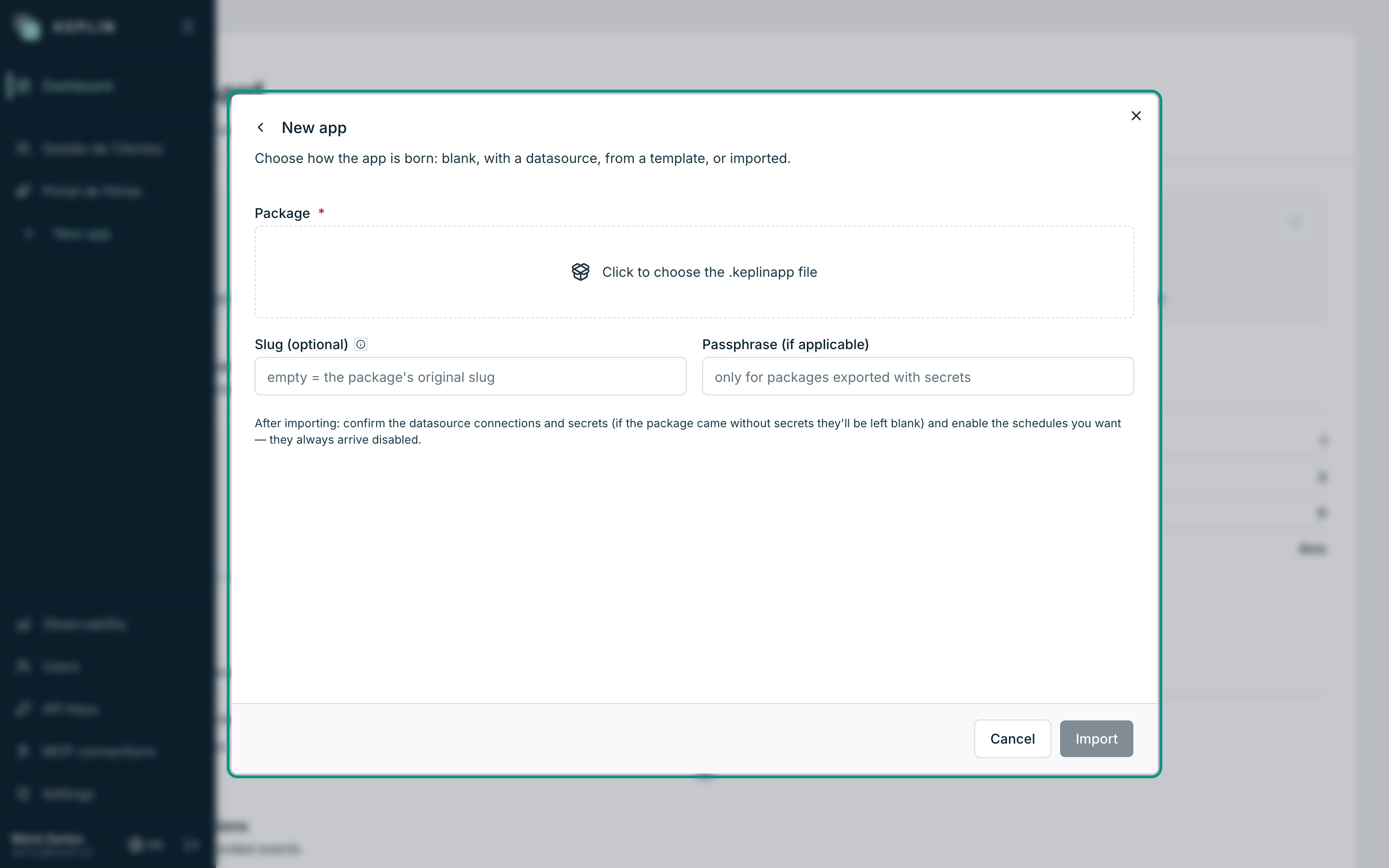
- In the sidebar, click New app and choose the Import package card (administrators only).
- In Package, click the "Click to choose the .keplinapp file" area and select the file.
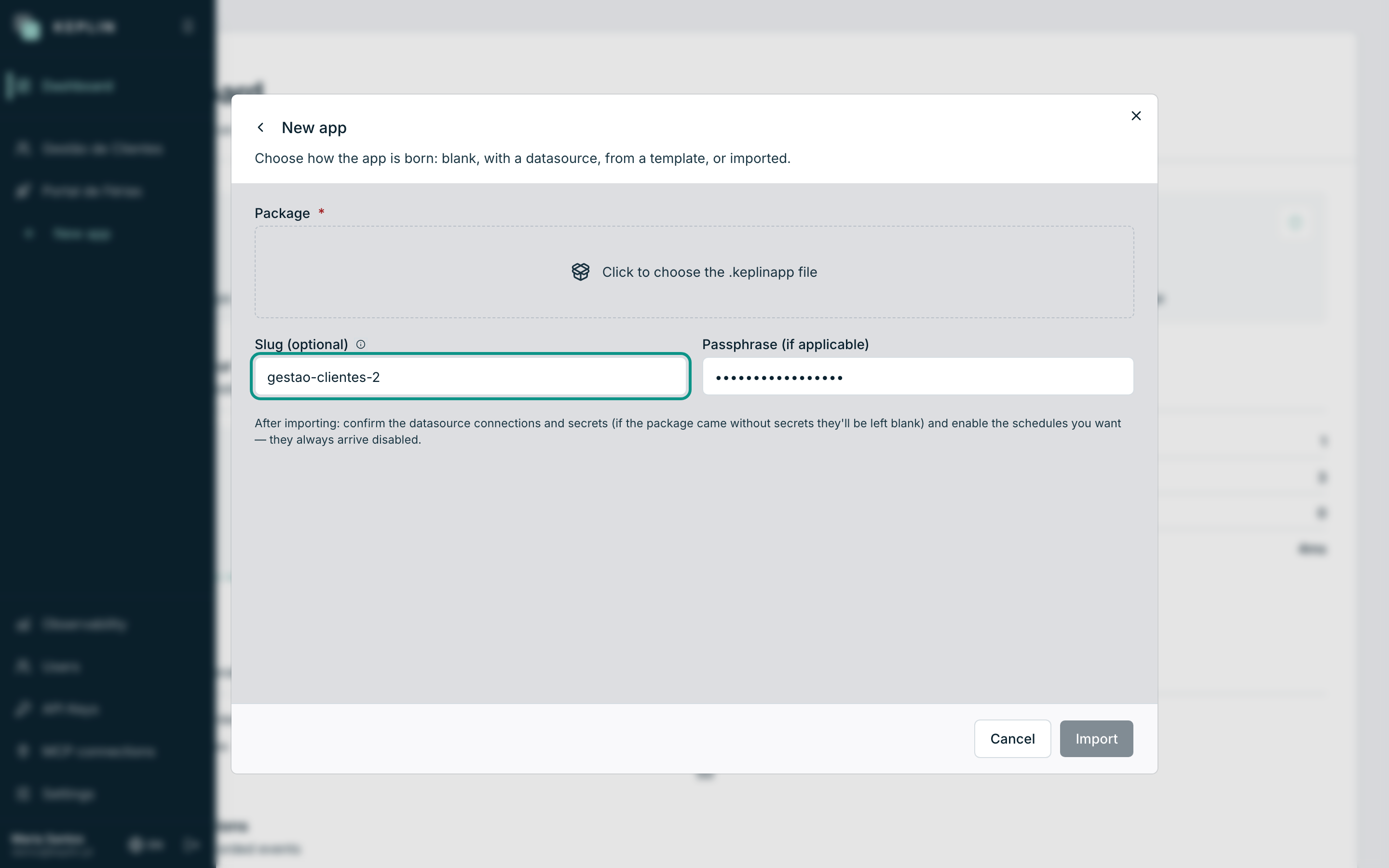
- Slug (optional): leave it empty to keep the package's original slug — "Only required if an app with the original slug already exists." That is how you install a second copy of the same app, side by side.
- Passphrase (if applicable): "only for packages exported with secrets". A clean package imports with no passphrase at all.
- Click Import. At the end 'App "Gestão de Clientes" imported.' appears and the app opens, already in the sidebar.
Details worth knowing:
- The package can be at most 1 GB. It uploads in parts, and the modal shows the progress: first "Uploading the package… 40%", then "Importing…" while the platform installs the app. A package of hundreds of MB can take a few minutes; keep the window open until the confirmation appears.
- A package exported on an old version of Keplin is upgraded automatically on the way in. A package from a newer version is refused with a request to update the platform first.
- If anything fails midway, nothing gets installed — the import cleans up everything it had started creating and shows the error. There is never half an app.
After importing
The modal itself leaves the reminder: "After importing: confirm the datasource connections and secrets (if the package came without secrets they'll be left blank) and enable the schedules you want — they always arrive disabled." In practice, the arrival checklist is this:
- Datasources — open each one and confirm (or fill in) the connection; in a package without secrets they come unconfigured.
- Secrets — the keys exist, the values are empty; fill them in.
- Schedules — enable the ones you want, one by one.
- Accounts — in a package without secrets no users come along; create them in the app's settings (App users) or enable public registration.
- Publishing and API keys — hosts and keys are always this installation's; publish the app and issue new keys for the consumers.
Common errors
| Message | What is going on | What to do |
|---|---|---|
| "The file is not a valid .keplinapp package." | The file is corrupted or is not a package. | Export again at the origin and use the file exactly as downloaded. |
| "This package was exported with secrets — provide the passphrase." | The package is in the protected mode and the field was left empty. | Fill in the Passphrase and repeat. |
| "Wrong passphrase — the package's secrets do not decrypt." | The passphrase is not the export's. | Confirm with whoever exported; without the right passphrase the package does not come in. |
| 'An app with the slug "…" already exists — choose another slug for the import.' | The original slug is already taken on this installation. | Fill in Slug (optional) with a new identifier. |
| "Package too large (max 1 GB)." | The file is over the limit. | Export without secrets (the data stays out) or reduce the app's files at the origin. |
| "The connection to the import was lost. If the app shows up in the list, the import finished; if not, try again." | The page stopped receiving the import status, for example because the platform restarted midway. | Look for the app in the sidebar. If it is not there, import the package again. |
| "The package is from a newer version of Keplin…" | The destination installation is out of date. | Update the destination platform and import again. |