Triggers
Rules that run inside the database on every insert, update or delete — drawn as a visual flow and applied to the engine.
A trigger is a rule that lives inside the database and fires on its own whenever a row of a table is inserted, updated or deleted. It does not depend on who wrote: whether the write comes from a screen, from an API, from a script or from another application connected to the same database, the trigger runs.
That is the argument in favour of triggers, and also the care they demand — logic that runs with nobody calling it is logic that nobody sees happening.
Where triggers live
In the datasource tree, inside the Programming group, next to the Functions / Procedures:
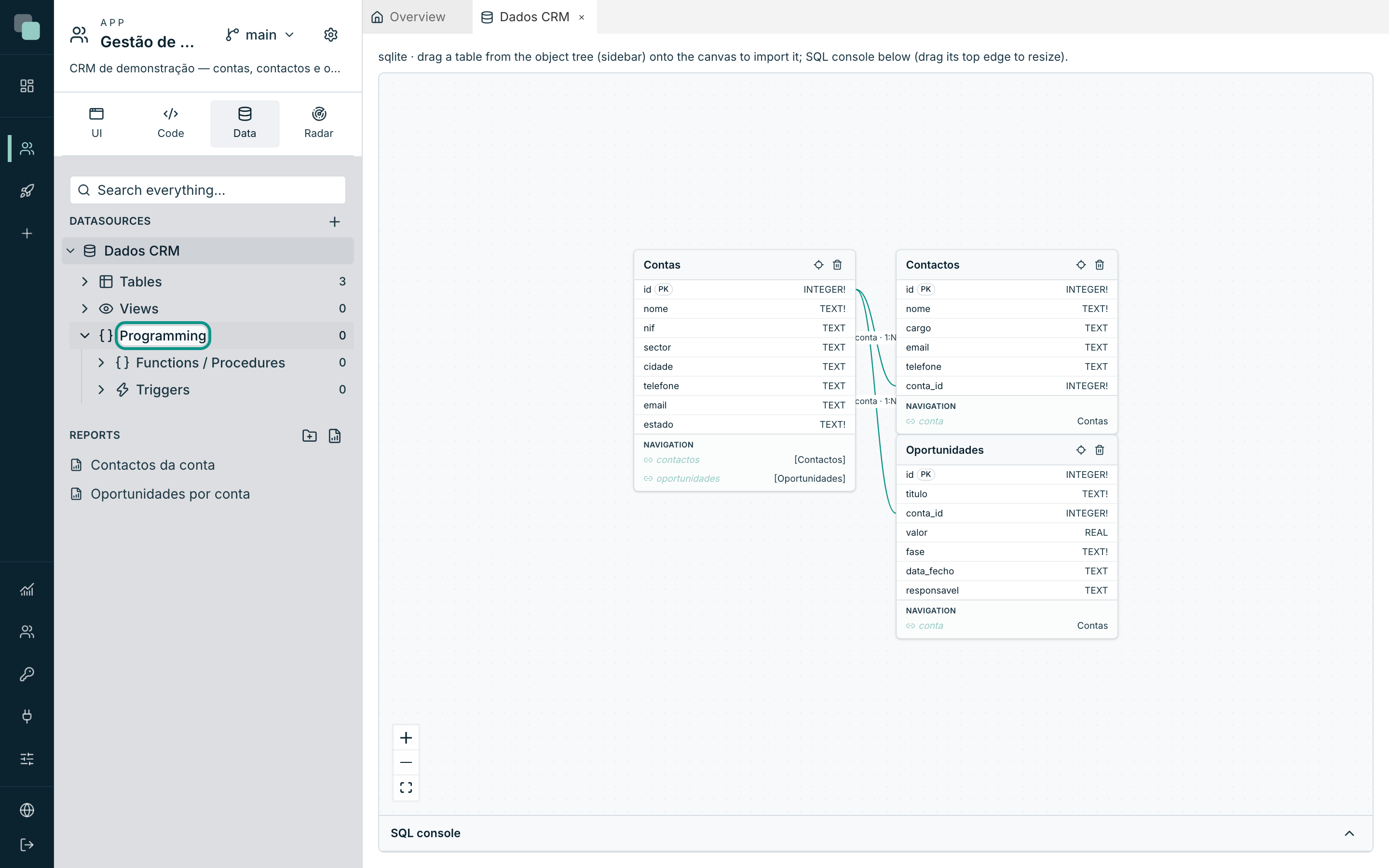
Clicking a trigger opens it in a workspace tab, with its flow drawn.
Note
Not every database engine supports triggers drawn like this. The platform only offers what the connected engine knows how to do: if New trigger does not appear in the datasource's menu, it is because that engine does not support it. Triggers created outside the platform are still listed, marked as External trigger — does not support the canvas (SQL editing only).
Creating a trigger
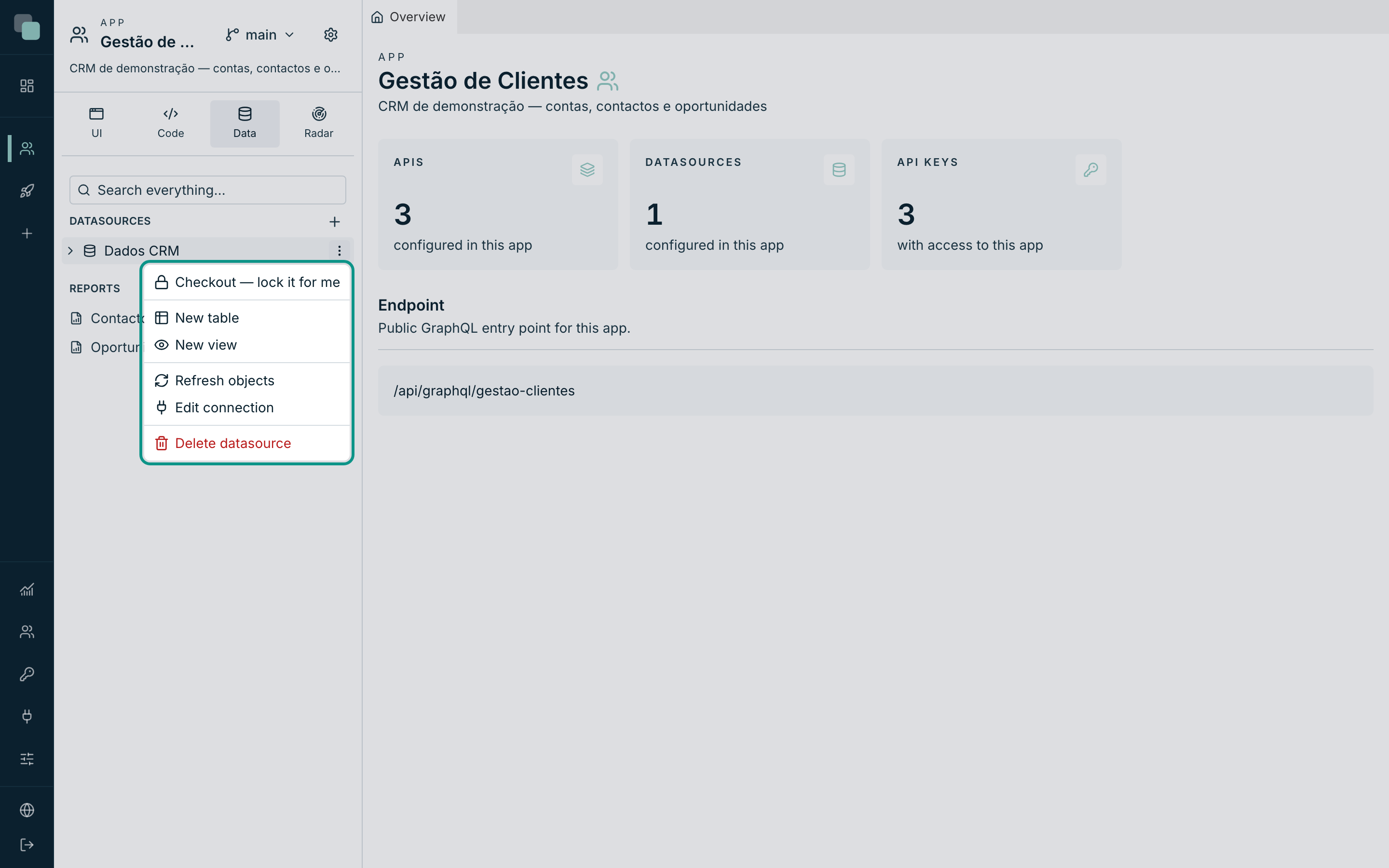
- Hover over the datasource and open the ⋯ menu.
- Choose New trigger. The dialog opens with the initial trigger data — the flow is built next in the canvas.
- Fill in:
| Field | What it is |
|---|---|
| Name | The trigger's name in the database. The suggested convention is trg_my_table. |
| Table | The watched table. |
| Timing | BEFORE (before the row is written) or AFTER (after). |
| Events | INSERT, UPDATE, DELETE — at least one. Some engines accept several on the same trigger, others only one. |
- Confirm with Create and open canvas.
The trigger is born as a draft: it already exists on the platform, but it has not yet been applied to the database. While it is a draft, the tree identifies it as such.
Timing and events, in practice
| Choice | What for |
|---|---|
| BEFORE INSERT/UPDATE | Normalising or completing values before they are saved — putting a code in uppercase, filling in a derived field. |
| AFTER INSERT/UPDATE/DELETE | Reacting to what has already happened — writing a history, updating a total in another table. |
The row's values are available according to the event: the New values
(NEW) exist on INSERT and on UPDATE; the Old values (OLD) only
appear when the trigger listens to UPDATE or DELETE — on an INSERT
there is no old row to show.
The trigger's canvas
The flow is drawn on a canvas, and the hint at the top sums up the gesture: drag functions/procedures from the tree onto the canvas; double-click a box to configure its outputs/inputs.
On the bar above the canvas sit, from left to right:
| Button | What it does |
|---|---|
| Settings | Reopens the trigger's name, table, Timing and Events. |
| (the summary) | The name, the table, the timing and the events, always in sight. |
| Expression | Adds an expression node to the flow. |
| View SQL | Shows the compiled trigger, without running anything. |
| Save and apply to the DB | Saves and applies the trigger to the engine. |
The table box — what enters the flow
The first box on the canvas is the table: it is where the values of the row that fired the trigger come out of. Double-click it to open the Trigger outputs and choose what this trigger exposes to the flow: individual columns, the whole row (JSON), or both.
- New values (NEW) — the row as it ends up.
- Old values (OLD) — the row as it was.
- On either of the two, besides the loose columns, you can expose the whole row (JSON) — useful for handing everything at once to a history function.
Each chosen output becomes a port on the box, ready to be connected.
The functions and the procedures
The work, in a trigger, is done by functions and procedures that already exist in the database. Drag them from the tree (Programming ▸ Functions / Procedures) onto the canvas: each one becomes a box with one parameter per input.
- Connect a port of the table to the parameter it feeds — the parameter starts showing as connected.
- A parameter with no connection keeps its default value.
- Functions also return a value: the return port can feed another box, chaining steps.
- The box's own menu has Remove from flow.
To undo a connection, click the line: Remove this connection? The parameter stops receiving this value.
The expression nodes
Between a port and a parameter the value does not always work as it is. The
Expression button adds a node that refines/transforms values: you
declare Inputs (with + input), connect ports to them, and write the
SQL expression using {a}, {b}… for the connected inputs — for
example upper({a}) || '-' || {b}. The result comes out of the node's port
and goes wherever you want.
Double-click the node to configure it (the box itself says double-click to edit… while it is empty).
Seeing the SQL before applying
View SQL opens the preview — Trigger SQL (preview) — with the warning that matters: Compiled with your current changes — nothing was executed. Review and apply whenever you want.
It is the safety step: you see exactly what is going to be created in the database, you can copy it, show it to whoever administers the engine, and only then apply. The same dialog has the Save and apply to the DB button at hand.
Applying the trigger
Save and apply to the DB does both things: it saves the drawing and creates the trigger on the engine. When it goes well, the platform confirms: Trigger applied to the database.
Before applying, the drawing is checked. The refusals are explicit:
| Message | What is missing |
|---|---|
| Give the trigger a name (Settings). | The name. |
| Choose the table (Settings). | The watched table. |
| Choose at least one event (Settings). | At least one of INSERT/UPDATE/DELETE. |
| The canvas has no function/procedure. | An empty flow does nothing — drag at least one function. |
| There is an expression node with no expression set. | A blank expression node. |
Warning
Applying a trigger is a write to the connected database, with immediate effect on all the writes to that table — including the ones already happening. On a production system, view the SQL first and apply at an agreed hour.
Deleting a trigger
The trigger's ⋯ menu in the tree has Delete, with confirmation — Delete trigger "…"? — and it is final: the trigger leaves the database.
Seeing what is in the database
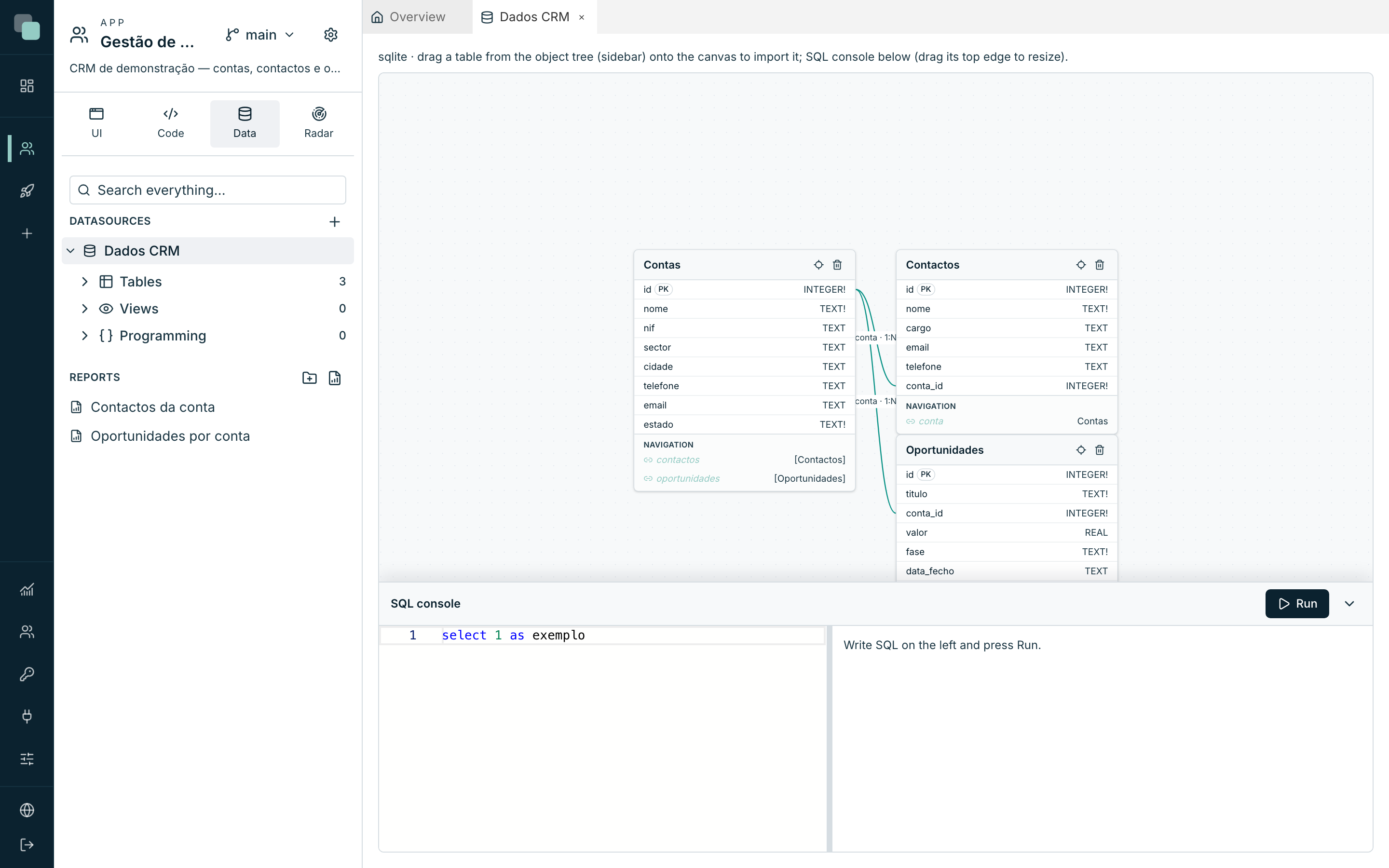
The SQL console, below the model diagram, is the place to confirm a trigger's effect: write a query, Run, and see the real rows. It is also where you inspect what was already there before you arrived.
Trigger, script or workflow?
All three automate, and the right choice saves months of confusion:
| Tool | Runs… | Good for |
|---|---|---|
| Trigger | Inside the database, on every write to the table. | Rules that have to hold for all the writes: history, derived fields, totals. |
| Script | Outside the database, by hand, scheduled or as a step of an API. | Heavy work, integrations, files, sendings — everything that takes time or talks to the outside. |
| Workflow | As a process with steps, decisions and human tasks. | Approvals, circuits with people in the middle, waits. |
Tip
If the logic is about the data and cannot fail, it is a trigger. If the logic is about the business and someone has to see it happen, it is not: a script or a workflow leave a trail, run with history and explain themselves in the Radar.
Why doesn't…?
- Why doesn't New trigger appear in the datasource's menu? The connected engine does not support triggers drawn on the canvas. You can still create them in SQL, and they appear in the tree as external triggers.
- Why does the trigger keep saying it is a draft? It was created but has not yet been applied. Open it and use Save and apply to the DB.
- Why don't I see the Old values (OLD)? The trigger does not listen to
UPDATEorDELETE. On anINSERTthere is no old row. - Why can't I connect a port to a parameter? Not every connection makes sense — confirm that you are connecting an output (on the right of the box) to an input (on the left of the other one).
- Why does the trigger do nothing? A flow with no functions generates no
work at all: the compilation refuses it. And confirm the Timing — a
BEFOREand anAFTERdo not see the same thing. - Why did the writes get slow after creating the trigger? The trigger runs on every written row. If it calls heavy work, that work now happens on every insert — in those cases, the place is a scheduled script.