Test data
The sets of rows each test starts from, the order of the tables, importing a CSV and copying a sample of the real database.
A test always starts from an empty database (with the structure of the real one and no rows). Test data are the rows it loads before the first step: customers, products, orders, whatever the test needs to make sense. Because every test starts afresh, the result is the same today and tomorrow.
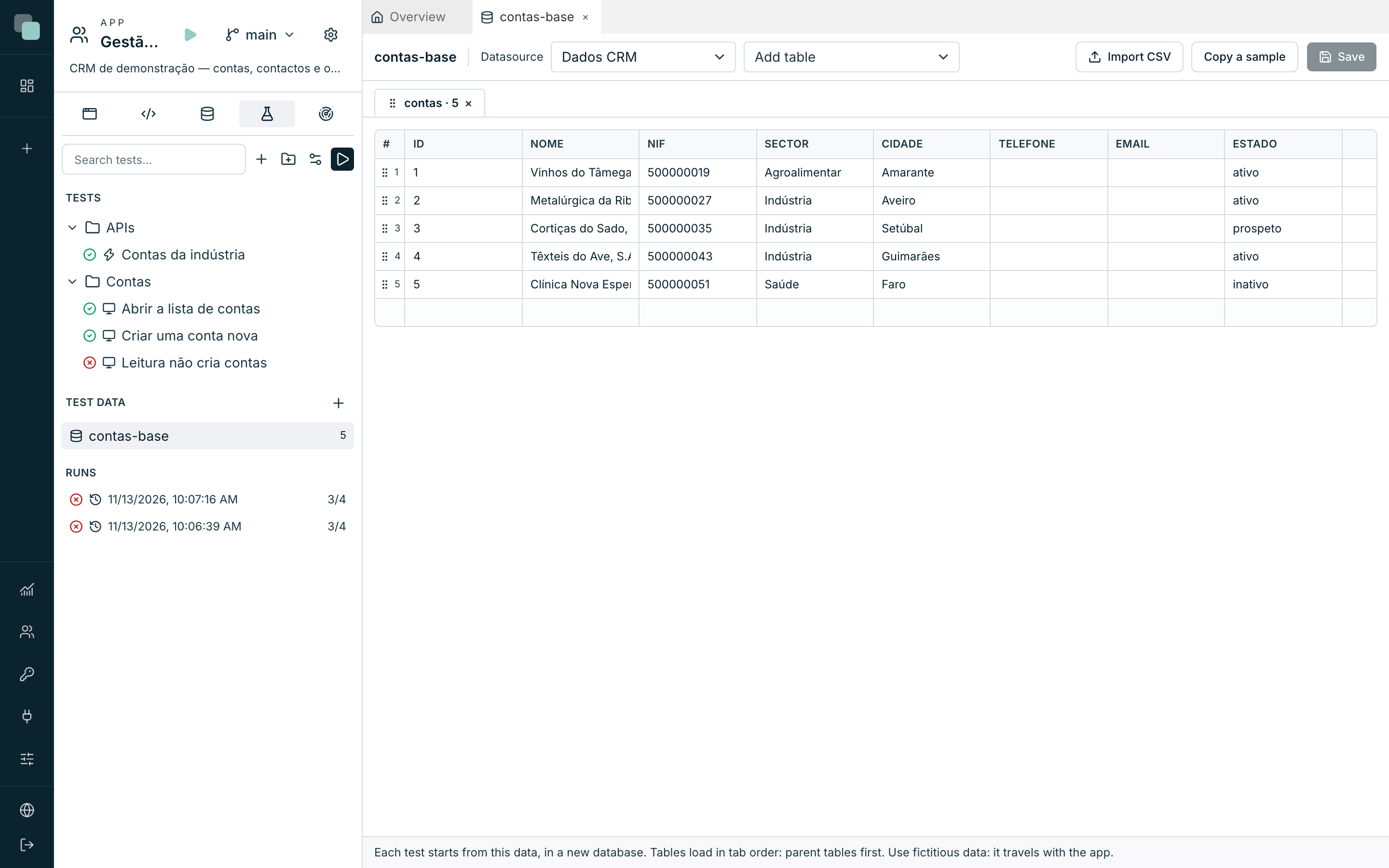
Create a set of test data
- In the Tests minitab, Test data section, click +.
- Give it a name, for example "contas-base", and click Create.
- Choose the Datasource.
- In Add table, choose the table. The columns come from the real database.
- Type the rows in the grid: the last row is always empty, and typing in it creates a new row.
- Click Save.
To use the data in a test, choose it in Add test data, in the test bar. The Load test data step loads more halfway through a test.
The order of the tables
Tables load in tab order. A table that points to another (orders that point to customers) must come after it. To change the order, drag the table's tab. Rows can also be dragged, by the number on the left.
Import and copy
- Import CSV adds the rows of a CSV file with a header; the file's columns must have the names of the table's columns.
- Copy a sample brings up to 20 rows of that table from the real database.
Warning
Test data travels with the app: in the export and in templates. Use made-up data. After copying a sample, review it and remove any personal data before saving.
On an external database with a test datasource
On an external database with write access, tests write to the test datasource selected in the test environment (see The test environment). That database is not new for each test: before loading the data, the tables of the test data are emptied. The other tables stay as they are.
Frequently asked questions
The test data does not load and the test fails straight away. The result says which table and why. The most common cause is the order: a row that points to a table that has not been loaded yet.
Can I delete a set a test uses? No: remove it from the tests that use it first.